


.png?width=141&height=141&name=Transact%20(1).png)






.svg)

.svg)
.svg)
.svg)


%201.svg)
















Quick answer: The best IT infrastructure monitoring software gives you a single, real-time view across every layer of your environment — servers, network devices, applications and virtual machines — whether they sit on-premises, in the cloud or across a hybrid setup. Look for multi-vendor visibility, fast root cause analysis, flexible deployment and reporting that actually holds up against your service level agreements (SLAs), not just a dashboard that looks good in a demo.
In this guide:
- How infrastructure monitoring tools collect, analyze and act on performance data
- Why uptime, resource allocation and network performance all depend on the same underlying visibility
- The most common infrastructure monitoring challenges enterprise IT teams hit in 2026
- Six capabilities to evaluate before choosing a platform
- How IR Collaborate, powered by Prognosis, addresses each of them
Infrastructure monitoring tools underpin the health, availability and performance of every organization's network environment. In 2026, as hybrid and multi-cloud estates keep growing, the gap between teams that see a problem coming and teams that hear about it from an angry user has only gotten wider.
Infrastructure management tools give you real-time visibility into all your hardware and software, whether it's running on-premises, remotely or across a hybrid environment.
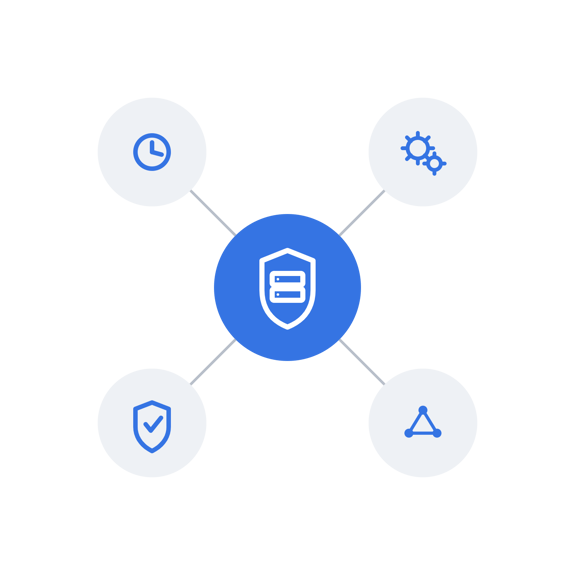
Infrastructure monitoring reflects the old adage "you can't fix what you can't see," by giving you full visibility into your IT environment. It also gives you a way to predict future problems, using historical data to catch anomalies before they cause a repeat failure.
Monitoring tells you whether a system is up. Observability tells you why it went down — and the strongest infrastructure monitoring software increasingly does both. See our guide to moving from monitoring to observability for the full picture. In this guide, we'll cover how infrastructure monitoring works, why it matters, the challenges enterprise teams run into, and exactly what to look for before you choose a platform.

How infrastructure monitoring works
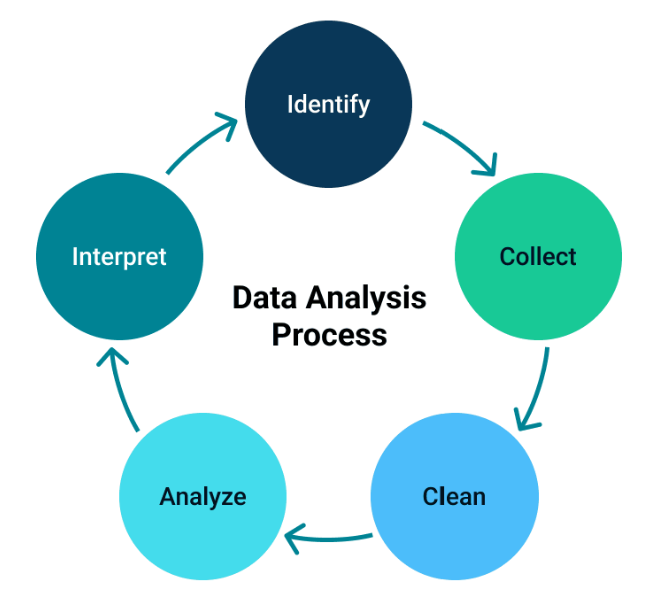
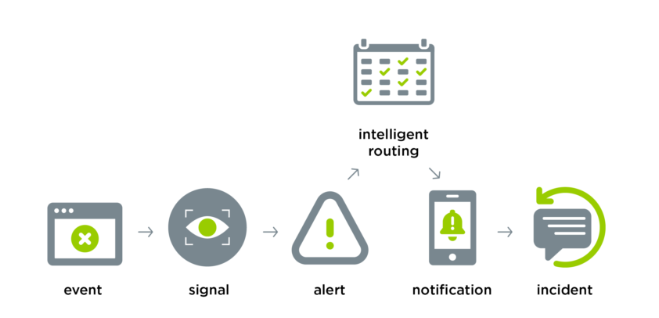
From raw data to a fixed problem — here's the four-step cycle every platform runs.
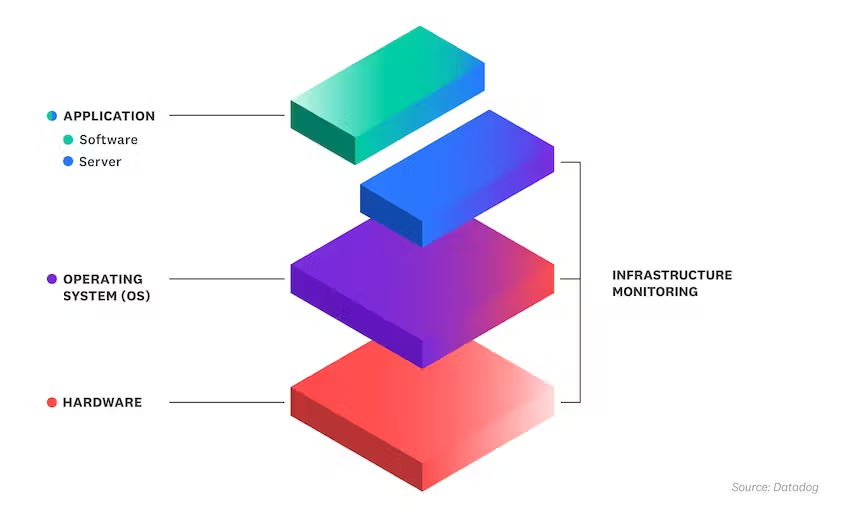
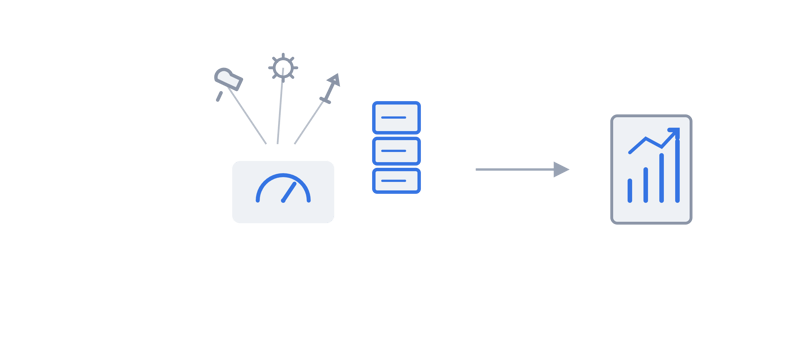
IT infrastructure monitoring tools collect health and performance data from both the cloud and traditional components of your IT infrastructure — operating systems, servers, databases, storage, virtual machines, network devices and every other layer in the stack.
That data — logs, performance metrics and events — gives system administrators a clear picture of how a system is running, and pinpoints exactly which component is experiencing or causing an issue.
IT engineers use infrastructure monitoring tools to see across the entire ecosystem, so they can connect a backend problem — a performance bottleneck, say — to the way it's actually affecting end users, and stop it from recurring. The same visibility supports application performance monitoring, so issues get traced from infrastructure to application without switching tools.
Analyzing data
Once data is collected, it's analyzed using machine learning, filtering, querying, statistical analysis and anomaly detection. This process surfaces trends and patterns that map directly to infrastructure health.
Alerting
When analysis flags a potential problem, the monitoring system generates an alert through a customizable dashboard. Alerts can then be routed to IT staff through multiple channels, including SMS or email.
Resolution
Once an alert lands, IT engineers investigate and resolve it. Some monitoring tools automate the next step too, opening or updating a ticket in IT service management the moment an alert triggers — cutting the time between detection and action, which is exactly what shortens mean time to repair (MTTR). For a deeper look at closing that gap, see our guide to reducing MTTR with AI.
Why IT infrastructure monitoring tools matter
Uptime, resource allocation and network performance all come back to the same thing: visibility.
IT infrastructure monitoring tools are critical to any organization that depends on technology and network connectivity to run its operations. Even a small misconfiguration, a DNS outage or a routing issue can seriously disrupt productivity — cutting into an organization's ability to communicate, and ultimately its bottom line.
Optimizing uptime
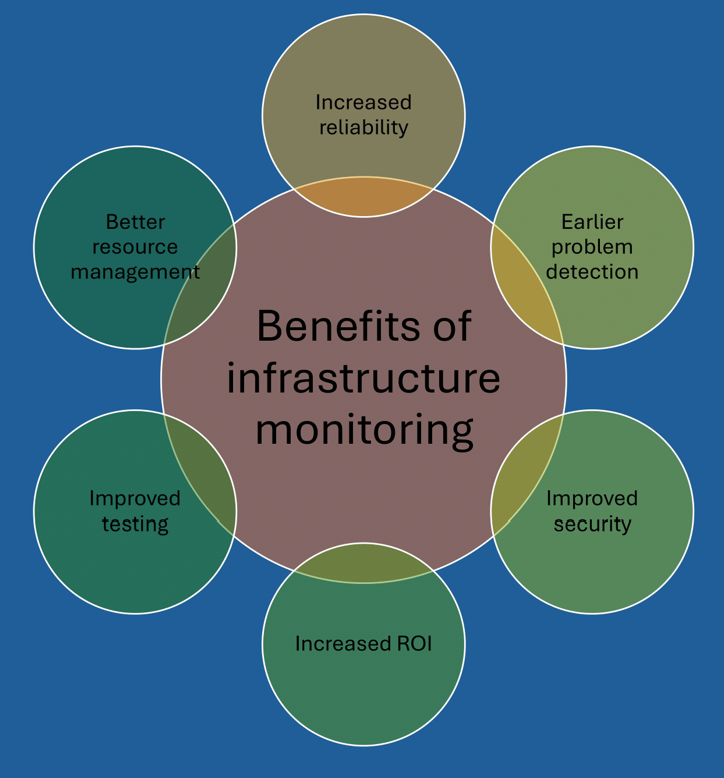
An infrastructure monitoring solution is a proactive way to protect uptime and maintain peak performance, by combining infrastructure monitoring with application performance monitoring, log management and digital experience monitoring. Together, that gives dev and ops teams what they need to resolve performance issues at any layer of the stack.
Optimizing IT resources
Monitoring tools also help organizations get more out of their existing IT resources, by showing exactly where capacity can be consolidated or repurposed. With full visibility into how systems are actually being used, teams can allocate resources based on evidence instead of guesswork.
Optimizing network performance and availability
Customizable dashboards let teams track infrastructure elements and key metrics — server uptime, network traffic, application performance — in real time. Faster anomaly detection means corrective action can happen before it reaches users.
That same dashboard view gives teams clear insight into system usage and resource consumption, so they can tune the network and its systems for stronger performance.
Challenges of IT infrastructure monitoring
More tools, more environments, less clarity — the three problems teams hit most.
Enterprise organizations run into real challenges with infrastructure monitoring as their technology environments grow more complex.
Some of the most common challenges include:
Choosing the right tools
Many enterprise organizations run a patchwork of separate tools — one for server monitoring, another for storage, another for log monitoring, device and bandwidth monitoring, and so on. With each tool running its own dashboard, it's hard to get a clear view of what's actually running where.
Solution: IR Collaborate covers multiple use cases from one platform, so you can bring data from multiple sources into a single, unified dashboard.
Expanding IT infrastructure
Remote and hybrid work have changed the shape of most organizations' infrastructure. Today's technology supports rapid growth, which means more devices, apps, programs and networks to monitor than ever.
Solution: IR Collaborate's scalable monitoring capabilities track end-to-end services as your business grows, compiling data from every source into a single dashboard — including multi-vendor environments most point tools can't touch.
Insufficient reporting capabilities
To get a broader, deeper view of network performance, enterprise organizations — particularly those in high-growth markets — need reporting that actually holds up against the KPIs and metrics behind their service level agreements (SLAs).
Solution: IR Collaborate's in-depth monitoring tools track trends over time, producing reports that give a true picture of network health, performance and growth — regardless of an organization's geographic footprint or size.
What to look for in infrastructure monitoring software
Six capabilities separate a genuine monitoring platform from a pile of point tools.
"What to look for" comes down to whether a platform can replace your tool sprawl, not just add to it. Before you evaluate options, check for these six capabilities:
- Multi-vendor, single-dashboard visibility:
The platform should pull data from servers, network devices, storage and applications — across every vendor in your stack — into one view, not five. - Root cause analysis:
Look for tools that let you drill from a symptom to its actual cause quickly, so teams spend less time chasing the wrong system. - Deployment flexibility:
The solution needs to work on-premises, in the cloud or across a hybrid environment — and keep working as that mix changes. - Detailed analytics and reporting:
You need historical trend data, not just a live snapshot, to report against SLAs and prove infrastructure health over time. - Security:
Role-based access controls and encryption should be built in, not bolted on, to keep sensitive infrastructure data protected. - Real-time user experience monitoring:
The platform should be able to pinpoint which users are affected by a problem and where they're located — critical for remote and hybrid teams.
How IR Collaborate can help
One platform, powered by Prognosis, built against every capability above.
IR Collaborate, powered by Prognosis, is built to check each of these boxes rather than trade one off against another. It's trusted to monitor more than 20 million UC and CC endpoints across 45+ countries — the kind of scale this list is meant to test a platform against.
An all-in-one monitoring platform
Broad multi-vendor coverage and a single interface mean you get real-time visibility across distributed systems, from customizable dashboards and single displays.
Root cause analysis
Drill down to the root cause of an issue quickly, to minimize downtime and limit the impact on your operations.
On-premises, cloud or hybrid
IR Collaborate's tools deploy in the cloud, on-premises or in hybrid setups, to fit your enterprise unified communications environment.
Multi-vendor support
IR Collaborate supports products from a wide range of vendors — servers, mobile devices, routers, switches, storage devices and applications — for one centralized picture of your IT infrastructure.
Detailed analytics and reporting
Get deep visibility into system performance, plus reports on the health and performance of IT components over time, including historical trends.
Security
IR Collaborate's security features include role-based access controls and encryption, to keep your organization's sensitive data protected.
Real-time user experience monitoring
As more organizations move to remote or hybrid work, monitoring user experience matters more than ever. Remote monitoring lets IR Collaborate pinpoint exactly which users are affected and where they're located, so problem resolution is faster and downtime is minimized.
Find out how to optimize your unified communications environment with IR Collaborate's monitoring and performance management solutions.
Frequently asked questions
What is IT infrastructure monitoring software?
It's software that collects performance and health data from servers, networks, storage, virtual machines and applications, then analyzes that data to alert IT teams to problems before — or as soon as — they affect users.
What's the difference between infrastructure monitoring and observability?
Monitoring tells you whether a system is working. Observability goes further, using the same telemetry to explain why it isn't — which matters most when a problem spans multiple vendors or layers of the stack.
What should I look for in infrastructure monitoring software?
Prioritize multi-vendor visibility in a single dashboard, fast root cause analysis, flexible deployment across on-premises, cloud and hybrid environments, detailed historical reporting, built-in security, and real-time user experience monitoring.
Can infrastructure monitoring software cover on-premises, cloud and hybrid environments?
Yes — the strongest platforms deploy across all three and keep a consistent view as your environment mix changes, rather than requiring separate tools for each.
How does root cause analysis reduce downtime?
It lets IT teams trace a symptom back to the actual failing component quickly, instead of manually cross-referencing multiple dashboards, which shortens the time between detection and resolution.
Does infrastructure monitoring software support multi-vendor environments?
The best platforms do, pulling data from servers, network devices, storage and applications across different vendors into one unified view.
How does IR Collaborate help with infrastructure monitoring?
IR Collaborate, powered by Prognosis, brings multi-vendor visibility, root cause analysis, flexible on-premises/cloud/hybrid deployment, detailed reporting, security and real-time user experience monitoring into one platform.
Conclusion
Infrastructure monitoring software isn't a checkbox anymore — it's the difference between a team that sees a problem coming and one that hears about it from a customer first. The platforms worth evaluating are the ones that replace your tool sprawl with one clear view, not the ones that add another dashboard to it.