


.png?width=141&height=141&name=Transact%20(1).png)






.svg)

.svg)
.svg)
.svg)


%201.svg)

















HPE NonStop systems run some of the most business-critical workloads in the world — the transaction platforms banks, telcos, and other high-volume enterprises can't afford to have go dark. Monitoring them well isn't optional; it's the difference between catching a problem in seconds and explaining an outage after the fact.
Most data centers today mix mission-critical HPE NonStop workloads with everything else in the stack. Protecting that environment means system administrators need complete visibility into every system, so infrastructure capacity keeps pace with the business rather than lagging behind it — strong enough to handle growth, agile enough to change with it.
Learn more about HPE NonStop performance management solutions
HPE NonStop systems process transactions for some of the most important financial institutions in the world. For any NonStop user today — whether HPE servers support financial institutions directly or simply provide the underlying infrastructure for other mission-critical applications — it's vital to have access to the analytics, real-time intelligence, and actionable insights no business can afford to go without.
Monitoring provides analytics — analytics drive success
Visibility without analysis is just data.
Raw system data only helps if you can act on it. Turning HPE NonStop telemetry into analytics shows where performance is heading, not just where it's been — which reduces operational costs and protects revenue in the process.
For enterprises where NonStop systems underpin payment processing, that means comparing cyclical transaction volumes against historical baselines, not just watching a single point-in-time dashboard. Real-time activity measured against historical trends gives a complete picture of where performance should be, and value-added metrics can push that analysis further — from operational health into revenue impact.
Keeping track of a multi-tech environment
Most environments are HPE and something else.
Hybrid work means most IT environments now mix HPE NonStop with everything else — other servers, applications, and platforms like unified communications and collaboration tools. Monitoring one system well isn't enough if you can't see how it interacts with the rest of the stack.
Total service availability, performance, and reliability all depend on visibility into the full ecosystem — not just the HPE layer of it. That means monitoring HPE hardware, software, and servers together with every other device, application, and operating system your teams actually rely on.
Why HPE server monitoring is crucial
One console, or five blind spots.
Most operations in an IT network depend on HPE servers somewhere in the chain — which is exactly why fragmented monitoring is a risk. Correlating and managing data and network devices from a single console, regardless of operating system, is what makes it possible to catch server issues early and protect the reliability, performance, and security of HPE infrastructure.
For an in-depth look at IT infrastructure monitoring
Read our in-depth guide
Maximizing uptime
Monitoring HPE devices and server health enables proactive issue detection — spotting problems and understanding their impact on users before they escalate into downtime. Real-time alerts and notifications improve response time for IT teams and limit the impact on operations.
Performance optimization
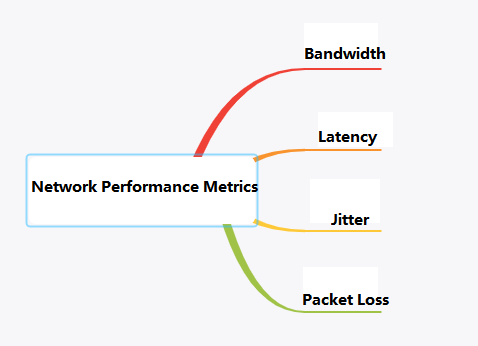
Tracking CPU utilization, power supply, bandwidth, memory usage, disk space, and network traffic keeps resource usage visible, so IT teams can confirm resources are being used efficiently rather than guessing.
Network traffic
HPE server monitoring also surfaces bottlenecks. Understanding how load is distributed across HPE servers lets administrators balance workloads more effectively and get more out of existing capacity. If you're comparing monitoring platforms more broadly, our buyer's guide to network monitoring tools covers the criteria worth prioritizing.
Capacity planning and scalability
Historical data from monitoring tools supports trend analysis — understanding usage patterns and forecasting future resource needs. That's what turns capacity planning from guesswork into a documented plan, and it's what ensures HPE servers can handle growth without unplanned upgrades.
Security and compliance
Monitoring HPE hardware doesn't just flag server issues — it can surface unusual activity that points to a security threat, such as unauthorized access attempts or abnormal traffic patterns. Many industries also require regular reporting on server health and security; monitoring tools generate the evidence needed to meet those requirements.
Cost management
Effective monitoring helps organizations avoid over-provisioning resources they don't need, which keeps costs down. Downtime is expensive for any enterprise — maximizing uptime and availability through consistent monitoring is one of the more direct ways infrastructure spend translates into savings.
Performance metrics matter
IT teams are shifting from after-the-fact troubleshooting toward proactive management focused on user experience. HPE performance metrics support that shift — they're the input for proactive maintenance, capacity planning, security monitoring, and the strategic decisions that follow.
Key aspects of HPE server monitoring
The features that actually move the needle.
Performance metrics, real-time alerts, and third-party monitoring tools like IR Infrastructure work together to help organizations keep HPE servers running as intended, minimize downtime, protect security, and plan for growth with real data behind the plan. Here's what that looks like in practice, whether you're managing a pure HPE environment or a hybrid one.
Hardware monitoring
Real-time tracking of CPU utilization, memory, power supply, fan speed, partition details, disk space, and network interfaces — plus environmental factors like temperature and humidity that affect HPE server health.
Performance monitoring
Monitoring processor load identifies what's consuming excessive CPU resources; tracking memory usage surfaces leaks or applications using more than they should. Monitoring disk read/write operations helps pinpoint bottlenecks, and tracking network usage flags network-related issues before they compound.
Software and application monitoring
Monitoring the health of the HPE server's operating system confirms it's running as expected. Tracking specific services, databases, and web servers keeps performance, resource usage, and availability visible across every application running on the server. For a closer look at where infrastructure monitoring ends and application-level monitoring begins, see our guide to application performance monitoring and observability.
Log monitoring and analysis
Regularly reviewing system logs for errors, warnings, and other critical messages surfaces underlying issues before they become outages. Analyzing application logs helps detect anomalies or performance issues, and monitoring security logs supports a faster response to threats.
Network monitoring
Tracking data transmitted and received helps manage bandwidth and confirms the network isn't becoming a bottleneck for the systems that depend on it.
Alerting and notifications
Real-time alerts for hardware failures, high resource usage, or security breaches give IT teams the lead time they need. Notifications built around specific thresholds and conditions can be tailored to what actually matters for a given environment.
Reporting and analytics
Regular reports on server performance metrics give a clear read on overall system health. Applied to historical data, that same reporting reveals performance trends that feed directly into capacity planning and proactive maintenance.
Automated remediation
Automated scripts that respond to defined conditions — restarting a service, reallocating resources when thresholds are hit — let teams resolve known issues without manual intervention. That reduces cost, frees up staff time, and cuts downtime for the issues it's built to catch.
How IR Infrastructure can help manage your HPE servers
Built specifically for the NonStop environment.
IR Infrastructure is built to optimize the performance and availability of business-critical applications running on HPE NonStop. Here's what that includes:
-
Provides a holistic view of all HPE NonStop components through a single pane of glass
-
Generates automatic reports to save time and resources
-
Assists with software auditing and capacity planning
-
Supports cross-platform CI-Ready environments
-
Integrates key performance and availability data with enterprise management frameworks
-
Reduces manual tasks through automation
-
Supports network, storage, and telco CLIMS
Remote working
Remote work adds complexity to UC&C environments and to every other system IT teams support, which makes fast issue identification and resolution more important, not less. Most operations depend on servers somewhere, whether in the cloud, on-premises, or both — which calls for a monitoring approach that correlates data and manages devices from a single pane of glass rather than several disconnected ones.
Performance and availability
By gathering performance information across the environment, IR Infrastructure gives IT teams control over network traffic, availability, and overall health — without having to stitch that picture together manually.
Analytics
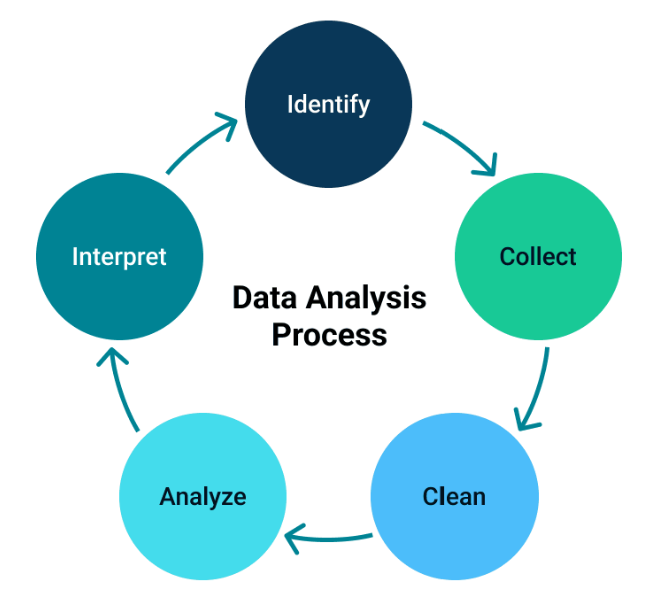
Real-time and historical data, side by side, is what turns a mountain of system data into decisions — better resource allocation, faster troubleshooting, and clearer visibility into where the environment is heading.
HPE, like most infrastructure vendors, is helping organizations move toward hybrid environments. Whether that's an existing operating system running alongside new servers, on-premises systems working with private cloud, or a mix of private and public cloud, HPE monitoring is what keeps those components working as one connected system rather than a set of separate ones.
Why choose IR Infrastructure for HPE monitoring?
The difference between more dashboards and better decisions.
-
Customizable dashboards show your data the way your team actually needs to see it
-
Detailed analytics and reporting give visibility into system performance, not just uptime status
-
Actionable insights help you make adjustments specific to your environment, not generic best practice
-
Drill down to root cause quickly to limit the impact of issues on operations
-
Real-time visibility from a single view, so managing the environment doesn't mean juggling five tools
-
Automated alerts and dynamic thresholds keep your team ahead of problems instead of reacting to them
Frequently asked questions
- What is HPE NonStop monitoring? It's the practice of tracking the health, performance, and availability of HPE NonStop servers and the applications running on them — covering hardware, software, network, and security in one view rather than several disconnected ones.
- Why do HPE NonStop systems need dedicated monitoring tools? NonStop systems typically run an organization's most business-critical workloads, often payment processing or other high-volume transaction systems. Generic monitoring tools built for standard servers usually don't cover NonStop-specific metrics like Pathway, TMF, or CLIMS.
- Can HPE server monitoring integrate with other IT infrastructure? Yes. Most enterprise HPE environments run alongside other servers, applications, and platforms, and effective monitoring tools correlate data across all of them rather than treating HPE as an isolated system.
- What's the difference between HPE hardware monitoring and application monitoring? Hardware monitoring tracks physical resources — CPU, memory, disk, network interfaces. Application monitoring tracks the software and services running on top of that hardware, like databases and web servers. Both are needed for a complete picture.
- How does monitoring support capacity planning for HPE NonStop environments? Historical performance data reveals usage trends over time, which helps teams forecast future resource needs and plan upgrades before capacity becomes a problem rather than after.
- Does IR Infrastructure only monitor HPE systems? No — IR Infrastructure is built for HPE NonStop specifically, but IR's broader Collaborate and Transact suites extend visibility across unified communications, contact center, and payments environments as well.
- How does automated remediation work in an HPE monitoring context? Automated scripts can be configured to respond to defined conditions — for example, restarting a failed service or reallocating resources once a threshold is hit — without waiting for manual intervention.
- What industries rely most on HPE NonStop monitoring? Financial services and other high-volume transaction environments are the heaviest NonStop users, since NonStop is built for fault tolerance and continuous availability at scale.
See what full visibility into your HPE NonStop environment looks like
IR Infrastructure gives your team a single view across HPE NonStop and the rest of your infrastructure — built to optimize performance and availability for the systems your business can't afford to lose. Explore IR Infrastructure or request a demo.