


.png?width=141&height=141&name=Transact%20(1).png)






.svg)

.svg)
.svg)
.svg)


%201.svg)















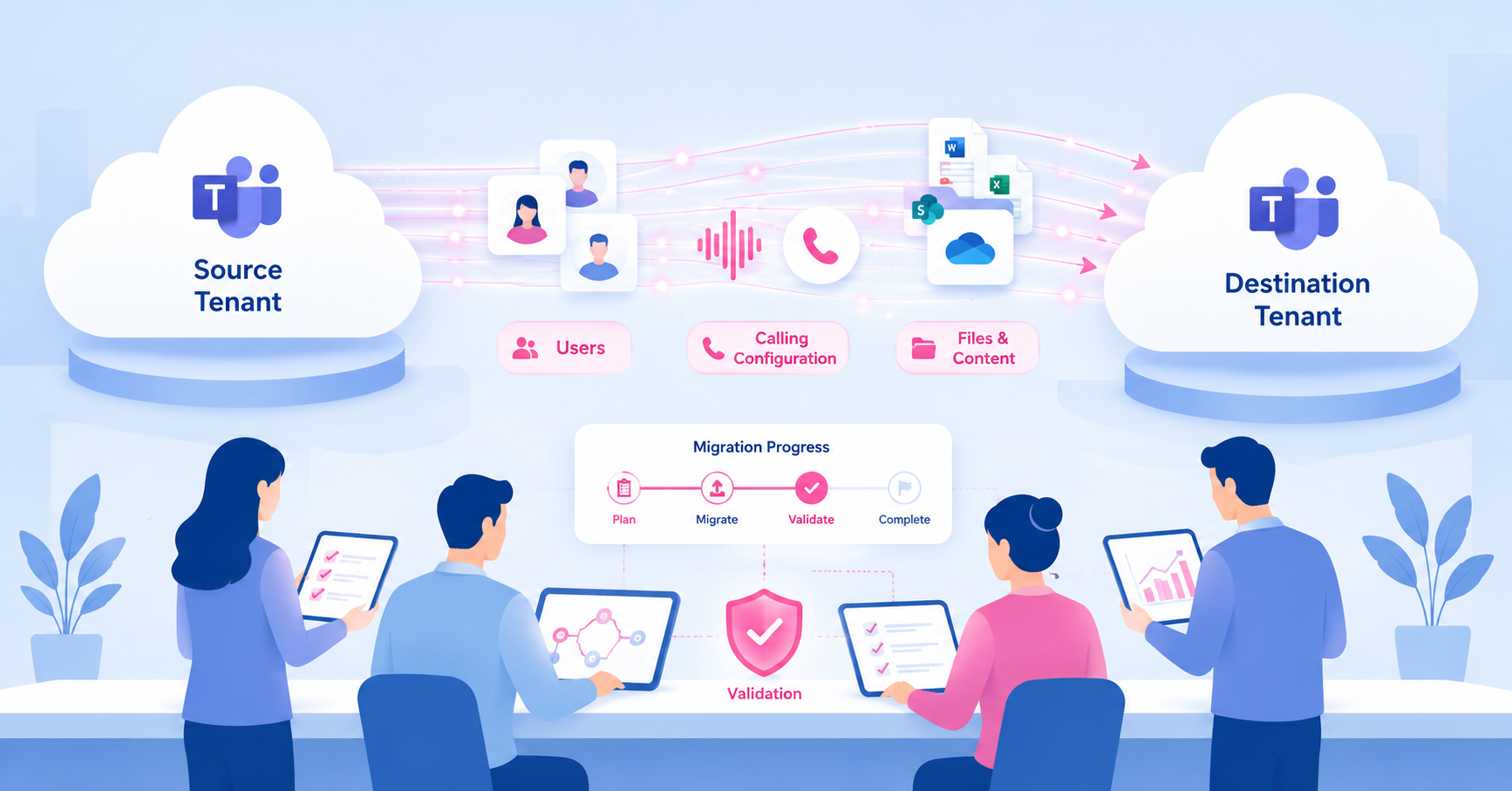

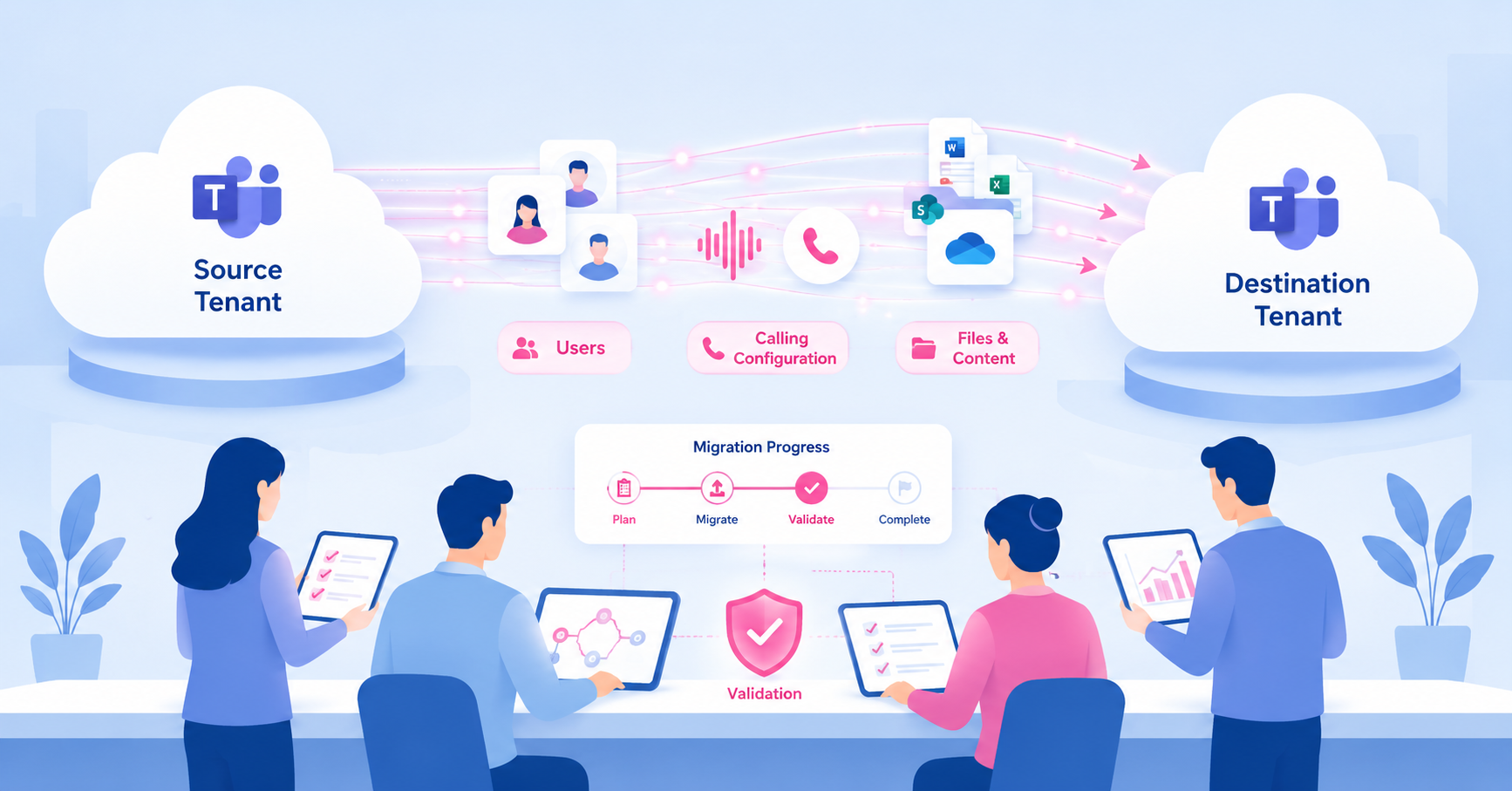
Migrating Microsoft Teams to a new tenant means moving users, chats, channels, calling configuration, and the Exchange and SharePoint data Teams depends on from one Microsoft 365 tenant to another. It's most common during mergers, acquisitions, divestitures, and tenant consolidations. A migration that moves every file without breaking call quality or permissions is a different achievement than one that simply finishes on schedule — and the two get confused more often than they should.
Quick AnswerA Teams tenant-to-tenant migration is more than a data move. It is a coordinated move of identities, mailboxes, SharePoint and OneDrive content, Teams data, calling configuration, permissions, and validation. If the migration finishes but users lose call quality, guest access, or ownership control, the project may be complete on paper without being successful in practice. |
Key takeaways
- Why tenant-to-tenant Teams migrations happen, and what actually has to move
- Why migration complete and migration successful are not the same claim
- When native Microsoft tooling fits and when third-party tools are used
- The planning phases that keep a migration from becoming a fire drill
- What typically breaks call quality, routing, and permissions during cutover
- How to validate a Teams tenant migration actually worked, not just finished
What a Teams tenant-to-tenant migration actually moves
Tenant-to-tenant migration usually shows up in one of four business contexts: a merger or acquisition consolidating two companies into one tenant, a divestiture or spin-off separating a business unit into its own tenant, a multi-tenant consolidation from past acquisitions, or an internal reorganization. Microsoft groups these the same way in its own migration planning guidance.
A Microsoft 365 tenant is the isolated set of services, licenses, and identities assigned to your organization. Moving Teams to a new one means moving the identities, mailboxes, and SharePoint or OneDrive content Teams is built on, not just the Teams app itself. Teams channel content depends on the associated Exchange mailbox, so the two typically move together or in a defined sequence, not independently.
This guide is about tenant-to-tenant migration specifically. If you're moving off Slack instead, that's a different migration path with its own considerations. See our Slack to Teams migration guide.
Migration complete vs. migration successful
Migration complete means the data arrived: mailboxes, files, channels, and chat history exist in the destination tenant. Migration successful means users can work the way they could before. Calls connect at the same quality, permissions match intent, and nothing that mattered got orphaned along the way. Most project plans only measure the first.
| Migration complete | Migration successful |
|---|---|
| Mailboxes, files, and channels are present in the destination tenant | Users can make and receive calls at the same quality as before cutover |
| Users are provisioned and licensed | Permissions and guest access match what was intended, not just what copied over |
| The project plan is marked closed | Adoption and call quality are still holding steady weeks after cutover |
The table above captures the gap many migration retrospectives miss: a status report can be green on every row in the left column while users are still quietly dealing with dropped calls, orphaned teams, or guests who lost access they needed. Closing a project is not the same as confirming the thing it delivered still works.
Choosing a migration path: native tooling vs. third-party tools
Microsoft's own migration guidance lays out three approaches: a multi-workload orchestrated migration, individual cross-tenant tools for mailbox, OneDrive, or SharePoint migration on their own, and partner or third-party tools for more complex or resource-constrained projects.
Third-party migration tools exist because large or complex migrations often need capabilities beyond what native tooling covers on its own: granular scheduling, more detailed chat and channel history handling, or support for older source environments. These tools move the data. They do not tell you whether the move worked from a service-quality perspective.
If you're weighing specific tools against each other, that's its own evaluation and outside the scope of this guide.
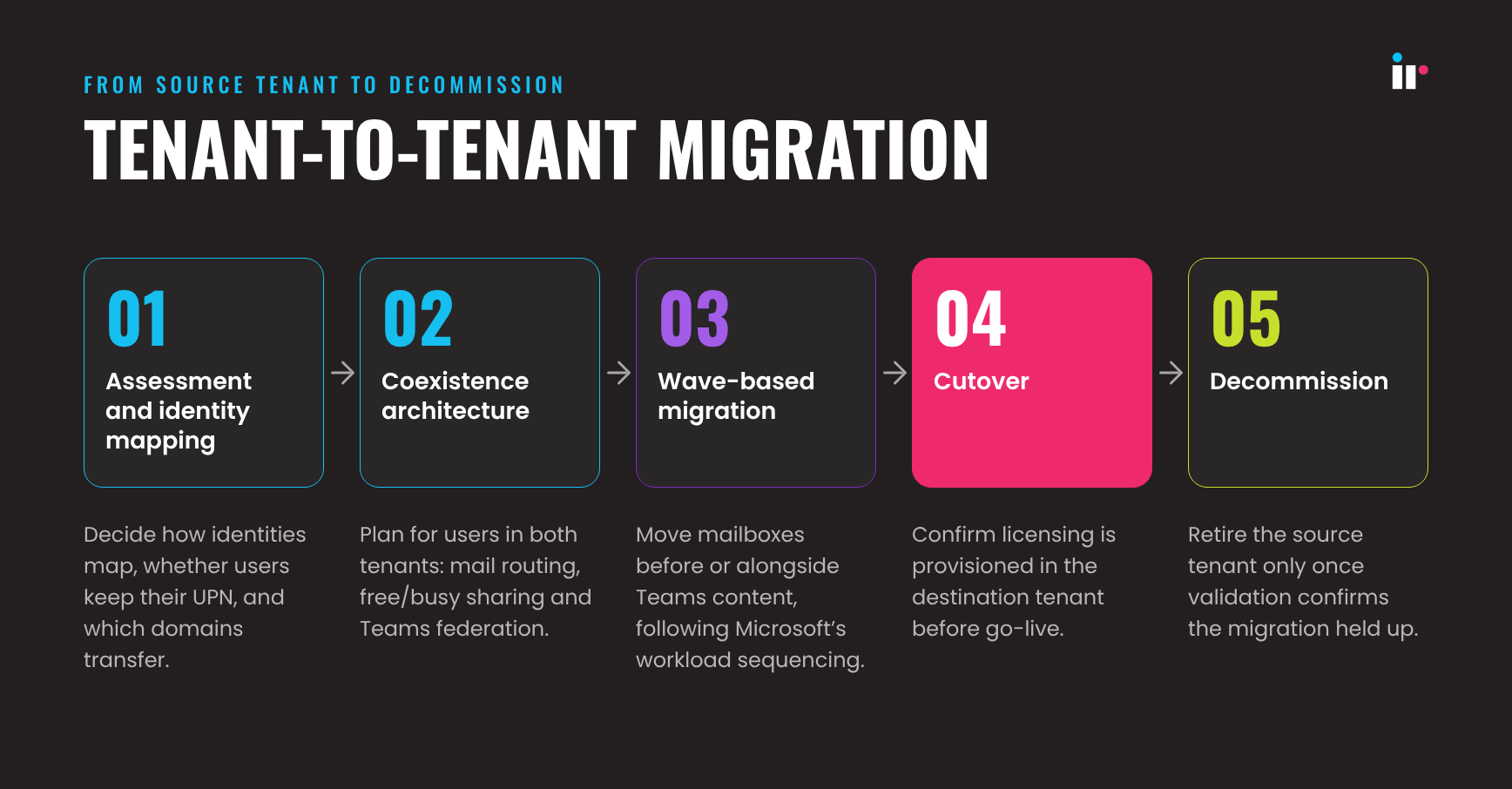
The planning phases of a tenant-to-tenant Teams migration
Assessment and identity mapping
Decide how identities map from source to destination tenant, whether users keep their existing UPN, and what domains need to transfer.
Coexistence architecture
For any migration that runs in phases, plan for a period where users exist in both tenants. That means mail routing between tenants, calendar free and busy sharing, and Teams federation for cross-tenant communication while cutover is incomplete.
Wave-based migration
Move mailboxes before or alongside Teams content, following Microsoft's documented workload sequencing, rather than moving Teams data ahead of the mailboxes it depends on.
Cutover
Confirm licensing is provisioned in the destination tenant before go-live. A licensing gap is one of the most common reasons calling stops working on day one.
Decommission
Retire the source tenant only once validation confirms the migration held up, not immediately after the data finishes copying.
What breaks call quality, routing, and permissions during a migration
A handful of issues account for most of the post-migration support tickets:
- Calling configuration. Direct Routing or PSTN configuration tied to the source tenant does not automatically carry over. If it is not reconfigured for the destination tenant, calls fail or degrade.
- Licensing gaps. Users provisioned without the right calling license can chat and meet but cannot place or receive calls.
- Guest and external access. Permissions that do not map cleanly between tenants can reset, leaving guests locked out or, just as risky, retaining access they should not have.
- Orphaned ownership. Teams and channels can arrive in the new tenant with no assigned owner, which limits who can manage membership going forward.
- Network path changes. Media now traverses a different route to a different tenant, which can change call quality even when every setting was migrated correctly.
None of this means Teams is unreliable after a migration. It means the migration introduced new variables into a system that was already tuned for the old one, and those variables need to be checked, not assumed away.
How to validate the migration actually worked
Treat validation as a defined window after cutover, not a one-time check on go-live day.
- Compare call quality metrics such as jitter, packet loss, and MOS against your pre-migration baseline, not just against a general working or not working standard.
- Track adoption and usage in the weeks after cutover. A quiet drop-off is often the first sign users have hit a friction point they have not reported yet.
- Audit team and channel ownership and guest access against what was intended, not just what the migration tool reported as copied.
- Set a specific observation period long enough to catch issues that only surface once real call volume returns to normal.
How IR Collaborate can help
IR Collaborate gives teams real-time visibility into Microsoft Teams call quality and performance, alongside the other UC and contact center platforms most enterprises run in parallel. During and after a tenant-to-tenant migration, that means being able to see whether call quality in the new tenant is actually matching the old one, rather than assuming it does because the migration tool reported success.
Collaborate's real-time performance insights, customizable dashboards, and proactive alerting give IT teams a way to catch a degraded route, a licensing gap, or a quality dip before it turns into a help-desk queue. For organizations running Teams alongside other platforms, that same multi-vendor visibility carries through the migration instead of resetting with it.
To learn more, explore IR Collaborate, size the visibility gap with the UC/CC Observability Calculator, or request a demo.
Frequently asked questions
Conclusion
A tenant-to-tenant Teams migration can move every file, every mailbox, and every channel exactly as planned, and still leave users with worse call quality than they had the day before. The data-completeness report and the user experience are two different measurements, and only one of them tells you whether the migration actually worked. Plan for both, and validate both, before you decommission the tenant you just left.
See how IR Collaborate gives your team real-time visibility into Teams performance before, during, and after a migration.