


.png?width=141&height=141&name=Transact%20(1).png)






.svg)

.svg)
.svg)
.svg)


%201.svg)















Quick answer
An application stress testing tool pushes a system beyond the traffic it is built to expect, to find out where it breaks, how it fails, and whether it recovers. That is a different job from a load testing tool, which confirms whether a system can handle the load you already planned for. For unified communications (UC) and contact center (CC) environments, the tool also has to simulate real voice, web, and video interactions, not only synthetic HTTP requests against a web endpoint.
Key takeaways
- Load testing and stress testing prove different things, and both matter before you shop for a tool.
- Application stress testing focuses on bottlenecks and failure points at the application layer under extreme load.
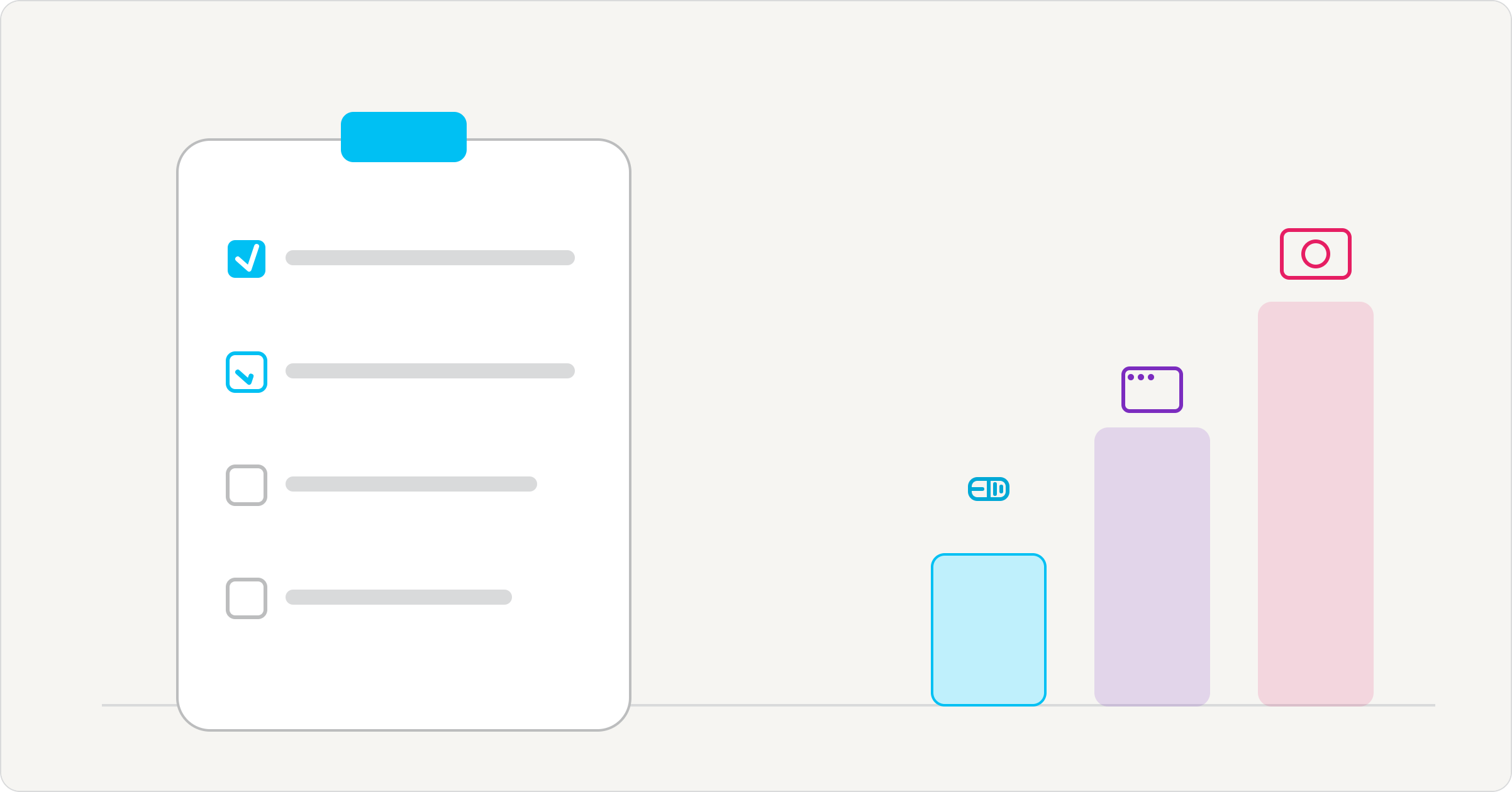
- A seven-point checklist helps evaluate an application stress testing tool for UC, contact center, and other mission-critical environments.
- A basic load or stress testing tool is different from one built for multi-vendor UC and CC environments.
- Contact center and IVR testing must account for concurrent calls, queues, agents, and customer interactions, not only web requests.
- Outside-in testing validates what customers experience rather than relying only on internal telemetry.
- IR Collaborate testing solutions map to the checklist through voice, web, and video testing across multi-vendor environments.
What is an application stress testing tool?
An application stress testing tool is built to answer one question: what happens when demand exceeds the plan?
It simulates traffic beyond a system’s expected peak, including more concurrent users, simultaneous requests, or sustained load, to find the point where performance degrades or fails. It also observes what happens next. That is materially different from confirming that a system works under conditions you already expect, which is why the tool used to run the test has to be evaluated on its own terms.
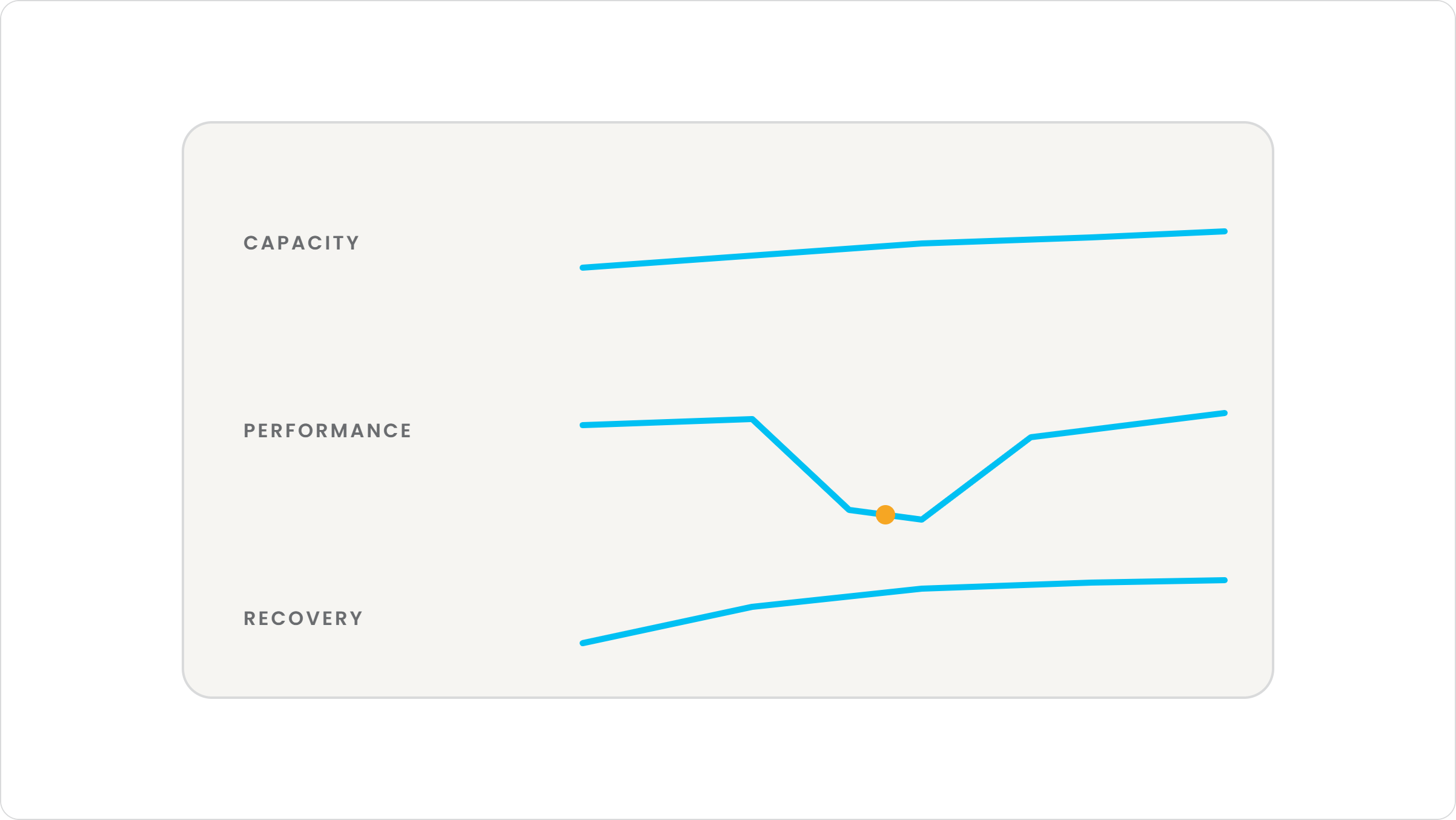
Application stress testing is one of several recognized performance testing techniques, alongside distributed, transactional, exploratory, and systematic stress testing. It focuses on the application layer, identifying performance bottlenecks, data locks, and network issues that surface once request volume, concurrent sessions, or data throughput moves beyond what the application was designed to handle comfortably.
Many tools marketed as stress testing tools are load testing tools with a higher traffic setting. A system might hold steady through 40 concurrent sessions and then degrade sharply at 41 or 42, with response time increasing from a few seconds to 15 or more. A basic tool can tell you that happened. It may not tell you why, whether the system recovered once load dropped, or which component failed first. Those are the answers that change what you do next.
Load testing versus stress testing: the difference that matters
Knowing the difference is step one. Knowing what to look for in the tool is the harder question.
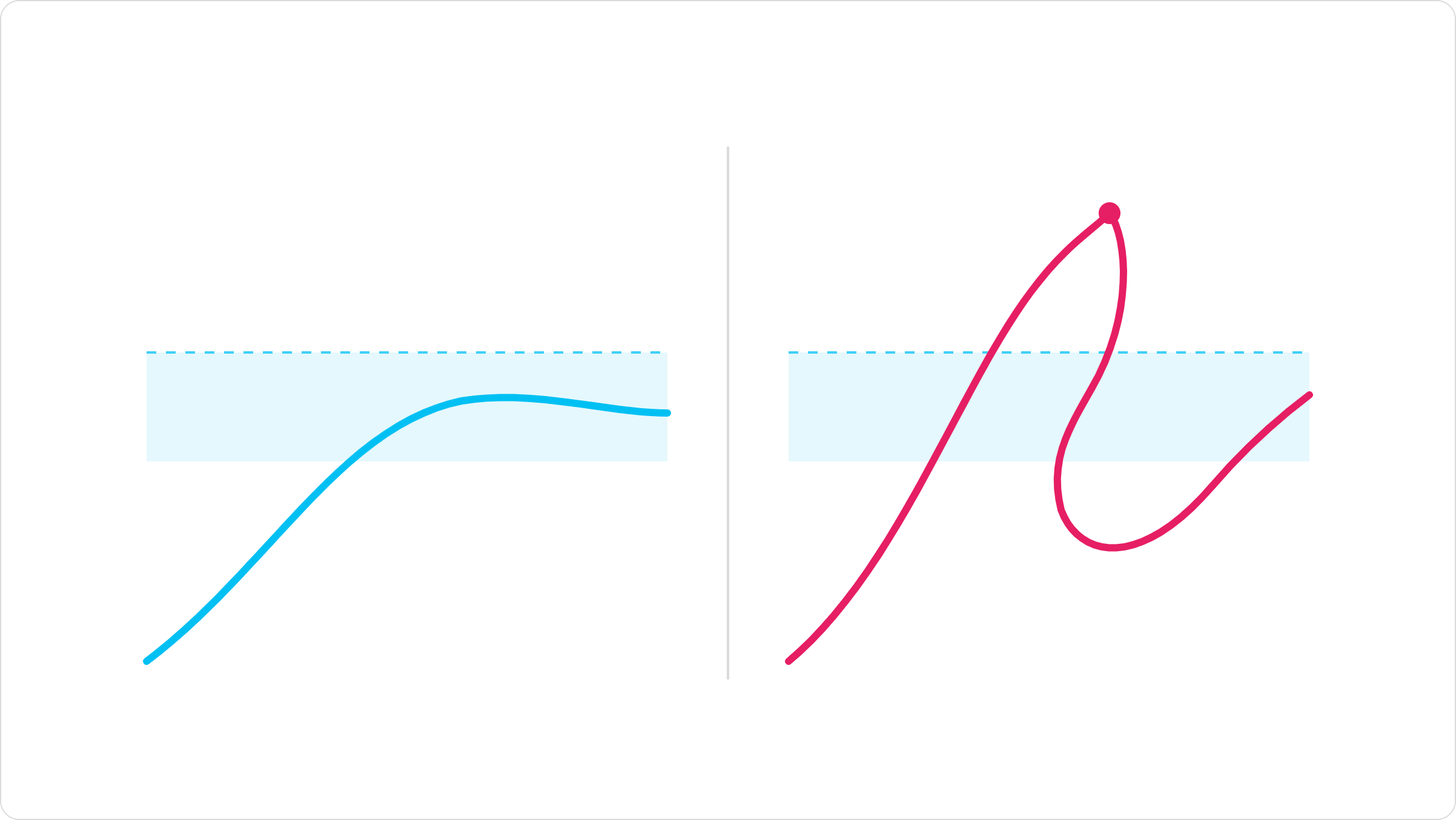
A load test proves that a system can handle expected traffic within a predefined threshold of acceptable performance. Before running one, testers set the maximum acceptable page load time, response time, or degradation level. The test confirms whether the system stays inside that threshold under realistic demand.
Load testing is also how teams set and validate a service level agreement (SLA). Average response times under expected load become the baseline for what acceptable performance means going forward. It should run regularly as systems and traffic patterns change, whether the testing happens on-premises or through cloud performance testing.
A stress test pushes past the threshold on purpose. Where a load test peaks at the number of users a system is supposed to handle, a stress test keeps increasing load until resources are overloaded and the system degrades, sometimes to complete failure. The goal is not only to find the breaking point. It is to see how the system behaves once it is under pressure and whether it recovers gracefully when the pressure comes off.
Load testing remains essential. It validates an SLA and establishes a performance baseline. It is not designed to answer the question that determines whether your peak day goes well: what happens when demand exceeds the plan anyway?
That is the gap a stress testing tool is meant to close. A definition of load testing versus stress testing does not tell you what to look for in the tool itself, and that is the more consequential buying question.
Where capacity testing and soak testing fit
Load and stress testing are not the only performance testing techniques worth understanding before you evaluate a tool.
Capacity testing, sometimes called scalability testing, identifies the maximum number of users a system can support without exceeding a defined performance threshold. The question looks different depending on where the system runs. Cloud performance testing has to account for infrastructure that scales elastically, while on-premises capacity planning has a harder ceiling.
Soak testing runs a constant load over an extended period, sometimes for hours, days, or weeks. It surfaces problems that appear over time, such as a slow memory leak, a shrinking disk allowance, or a batch process that gradually degrades performance.
Neither replaces stress testing. Capacity testing tells you where the safety zone ends under steady growth. Soak testing tells you what happens when a stable load runs for a long time. Stress testing tells you what happens when demand exceeds the plans you made. That is why this checklist focuses on stress testing and why a tool that handles only capacity or soak scenarios may not answer the question this guide addresses.
The application stress testing tool checklist: seven criteria to evaluate
None of these criteria are about how high a tool can push load. They are about whether the load, and what happens when it breaks the system, reflects reality.

1. Real multi-channel simulation, not synthetic HTTP load
Most stress testing tools generate synthetic HTTP requests against a web endpoint. That is a reasonable proxy for a web application. It is not a reasonable proxy for a UC or contact center environment, where the traffic that affects systems is voice calls, video sessions, and interactive voice response (IVR) interactions, not only page requests.
Check whether the tool places real telephony calls and simulates real video and web sessions, or whether it approximates all three with a generic load generator. The gap between simulated and real traffic is where confidence in a stress test result can fall apart.
2. Recovery behavior, not just the breaking point
Finding the breaking point is the easy part. Most tools can push load until something fails. The more useful measurement is what happens afterward: does the system recover on its own, does it fail gracefully, or does it need intervention to restore service?
A tool that reports only “failed at X concurrent sessions” gives you half the picture. Look for one that documents recovery time and behavior alongside the failure threshold. Recovery is often the number that determines how severe peak-day impact becomes.
3. Multi-vendor UC and CC coverage
Enterprise UC and contact center environments are rarely single-vendor. If your environment spans Microsoft Teams, Cisco, Zoom, Avaya, and Genesys in any combination, the stress testing tool needs to test across that estate.
A tool that covers only one platform leaves the rest of your environment untested. That gap may appear during the event you can least afford, rather than during a controlled test window.
4. Configurable SLA thresholds
Every environment defines acceptable performance differently. A tool that hardcodes its own definition of a passing result is not useful for validating your SLA; it is validating its own assumptions.
Confirm that you can set the response-time, latency, and quality thresholds that match your service commitments. Do not accept generic defaults as a substitute for your environment’s requirements.
5. PII-safe test data handling
Stress tests need realistic volumes of representative data to produce valid results. In regulated industries, including banking, healthcare, education, and government, that data cannot be real customer records.
Confirm that the tool supports anonymization, tokenization, format-preserving encryption, or synthetic data generation. Testing at scale should not create a compliance problem on top of the performance question you set out to answer.
6. Reporting granularity your team can act on
A report that says performance degraded at 500 concurrent sessions tells you there is a problem. A report that breaks down response time, throughput, error rate, and resource consumption at each load increment tells you where to fix it.
Metrics worth insisting on include average transaction response time, transactions per second, errors per second, and hits per second. These numbers help a team trace a slowdown to a component rather than only recording a symptom.
Before buying, ask to see a sample report, not only a dashboard screenshot. Check whether the report gives your team actionable information or only a pass-or-fail verdict without a path to the root cause of issues.
7. Outside-in, always-on validation, not only a pre-launch checkbox
Systems change. New integrations, configuration changes, and added capacity elsewhere in the environment can alter how a platform behaves under load. A tool that runs only once before launch will not catch what has shifted since.
Look for outside-in testing that can run continuously. This validates the system you operate today rather than the one deployed months ago.
Basic load tester versus an application stress testing tool
The difference appears in what is measured, not in how much load either tool can generate.
| Capability | Generic load or stress tool | Application stress testing tool for UC and CC |
|---|---|---|
| Traffic simulated | Synthetic HTTP requests | Real voice calls, video sessions, and web interactions |
| Vendor coverage | Single platform or protocol | Multi-vendor coverage across Microsoft, Cisco, Zoom, Avaya, Genesys, and others |
| Failure visibility | Breaking point only | Breaking point plus recovery behavior |
| Data handling | Often assumes synthetic or manually scrubbed data | Support for anonymization, tokenization, or synthetic data |
| Typical use | One-time, pre-launch validation | Continuous, outside-in validation across the system’s life |
These differences do not appear in a feature comparison focused only on load capacity. They appear in whether the tool answers the question you are actually asking, which is not “can this break the system?” but “will this system survive the day it matters most?”
Stress testing contact center and IVR systems
A failed IVR interaction does not show an error page. It drops the customer.
Contact center and IVR systems carry a specific version of this problem. Interactive voice response systems support customer contact for banking, insurance, utilities, telecommunications, and travel. Unlike a web application, a failed IVR interaction does not simply display an error page. It can drop a customer trying to reach a person, make a payment, or resolve a problem at the moment call volume is highest.
Stress testing an IVR or contact center platform needs to account for what drives the spike: concurrent calls rather than concurrent page views, agent and queue behavior under load rather than only server response time, and the interaction between voice, web, and video channels as customers move between them during a contact.
A generic web application stress testing tool will not model all of that. It was not built to.
This is where the checklist earns its place. Multi-vendor coverage matters because contact center estates typically combine several platforms. Recovery behavior matters because a queue that does not recover gracefully under a spike can create a backlog that outlasts the spike itself. Real multi-channel simulation matters because the failure that reaches the customer rarely looks like the failure a synthetic HTTP test would catch.
For more on the customer-facing side of this evaluation, see IR Collaborate’s customer experience testing solutions.

How IR Collaborate helps you run this checklist for real
IR Collaborate’s customer experience testing solutions are built around the outside-in principle behind this checklist: test what customers will experience, not only what internal telemetry reports.
StressTest Premium stress tests voice, web, and video under real-world conditions. It goes beyond component-level testing to reveal the customer experience delivered under load, with visibility into capacity, performance, stability, and resilience rather than only a pass-or-fail result.
StressTest for Video extends testing to video sessions so peak video traffic can be validated before it arrives. HeartBeat runs outside-in validation continuously, using automated calling to replicate real customer interactions through real telephony calls rather than relying on a one-time test. WebBeat applies the same approach to online experiences, giving teams documented results for service-level requirements.
IR Collaborate tests across Microsoft, Cisco, Zoom, Avaya, Poly, and other platforms in a multi-vendor UC and contact center estate. That addresses the coverage criterion in the checklist rather than leaving it as an assumption.
If you are evaluating a stress testing tool against this checklist, the fastest way to see the difference is to run it against your own environment, with your own vendor mix, traffic patterns, and definition of an acceptable outcome rather than a generic demonstration scenario.
Frequently asked questions
What is the difference between load testing and stress testing?
A load test confirms that a system can handle expected traffic within an acceptable performance threshold. A stress test deliberately pushes beyond that threshold to find the breaking point and observe how the system recovers. Both matter, and they answer different questions.
Is application stress testing the same as performance testing?
No. Performance testing is the umbrella category that includes load testing, stress testing, capacity testing, and soak testing. Application stress testing is one technique within that category, focused on bottlenecks and failure points at the application layer under extreme load.
What is a good example of an application stress test?
Simulate substantially more concurrent users, calls, or sessions than a system is expected to handle at peak. For example, test a contact center IVR platform against three times its typical peak call volume to see where response time degrades and whether the system recovers once volume drops.
How often should you stress test a contact center or IVR system?
Test before a major change, such as a migration, new integration, or product launch, and continue testing afterward. Configuration changes and added capacity elsewhere in the environment can alter how a system behaves under load even without a major change triggering a retest.
Can you stress test without using real customer data?
Yes. In regulated industries, you generally need to. Anonymization, tokenization, and synthetic data generation allow testers to create realistic data volumes without exposing personally identifiable information during the test.
What does it mean if a system does not fail gracefully under stress?
It means the system does not recover on its own once load drops or resources become available and may need intervention to restore service. That is materially worse than a slow response time, and it is exactly what recovery-focused stress testing is designed to identify before a live peak day.
Do you need a different tool for stress testing voice and video versus web traffic?
You need a tool that can test all three, but they do not necessarily need to be separate tools. Purpose-built platforms can stress test voice, web, and video under one set of real-world conditions rather than requiring a separate synthetic load generator for each channel.
What is the first thing to check before buying a stress testing tool?
Check whether it simulates real traffic on the platforms you actually use, including real calls, video sessions, and web interactions across your vendor mix. Everything else on the checklist matters less if that foundation is missing.
Conclusion
A stress test that passes in the lab and a system that survives peak day are not automatically the same thing. The gap is almost never the amount of load a tool can generate. It is whether the load and the failure it causes look like what customers experience when a real spike hits.
That is the standard to hold any application stress testing tool to: not how far it can push a number, but how honestly it reflects the vendors, channels, and traffic patterns that make up your environment.
See how StressTest Premium and HeartBeat hold up against your own environment. Get a Demo.