















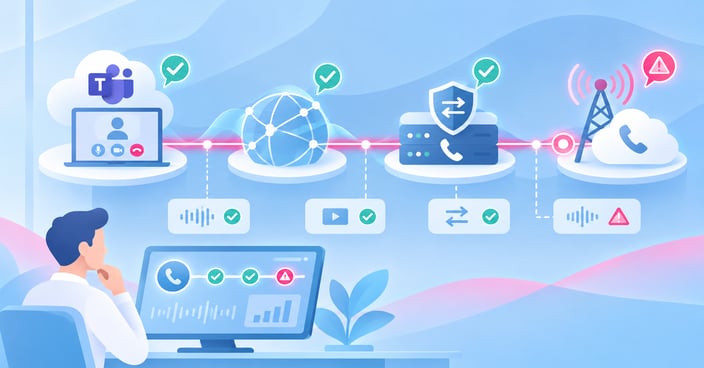

Quick AnswerDirect Routing calls drop or degrade because the call's path runs through several components Microsoft doesn't control: the network between your session border controller (SBC) and your carrier, the SBC itself, and the carrier's connection to the PSTN. When any one of these mishandles signaling, negotiates the wrong codec, or hits congestion, Teams shows a dropped or poor-quality call — even though the Teams client and Microsoft's cloud are working exactly as designed. |
Key takeaways
• Direct Routing calls travel through four distinct links — the Teams client, the network path, your SBC, and the carrier's PSTN connection — and any one of them can cause a drop or quality problem.
• The most common root causes are SBC or firewall signaling blocks, codec mismatches, media bypass misconfiguration, peak-load packet loss, and carrier handoff issues.
• Microsoft's Call Quality Dashboard (CQD) only sees as far as Microsoft's own cloud — it can't tell you what's happening at your SBC or across your carrier's network.
• Direct Routing remains Microsoft's primary enterprise telephony path: Teams is the default choice for organizations already in Microsoft's ecosystem, with Direct Routing and Operator Connect available in more than 60 countries (Gartner, 2026 Magic Quadrant for UCaaS).
• Pinpointing which link failed requires visibility across the whole path, not just the Teams side of it.
What Direct Routing actually depends on
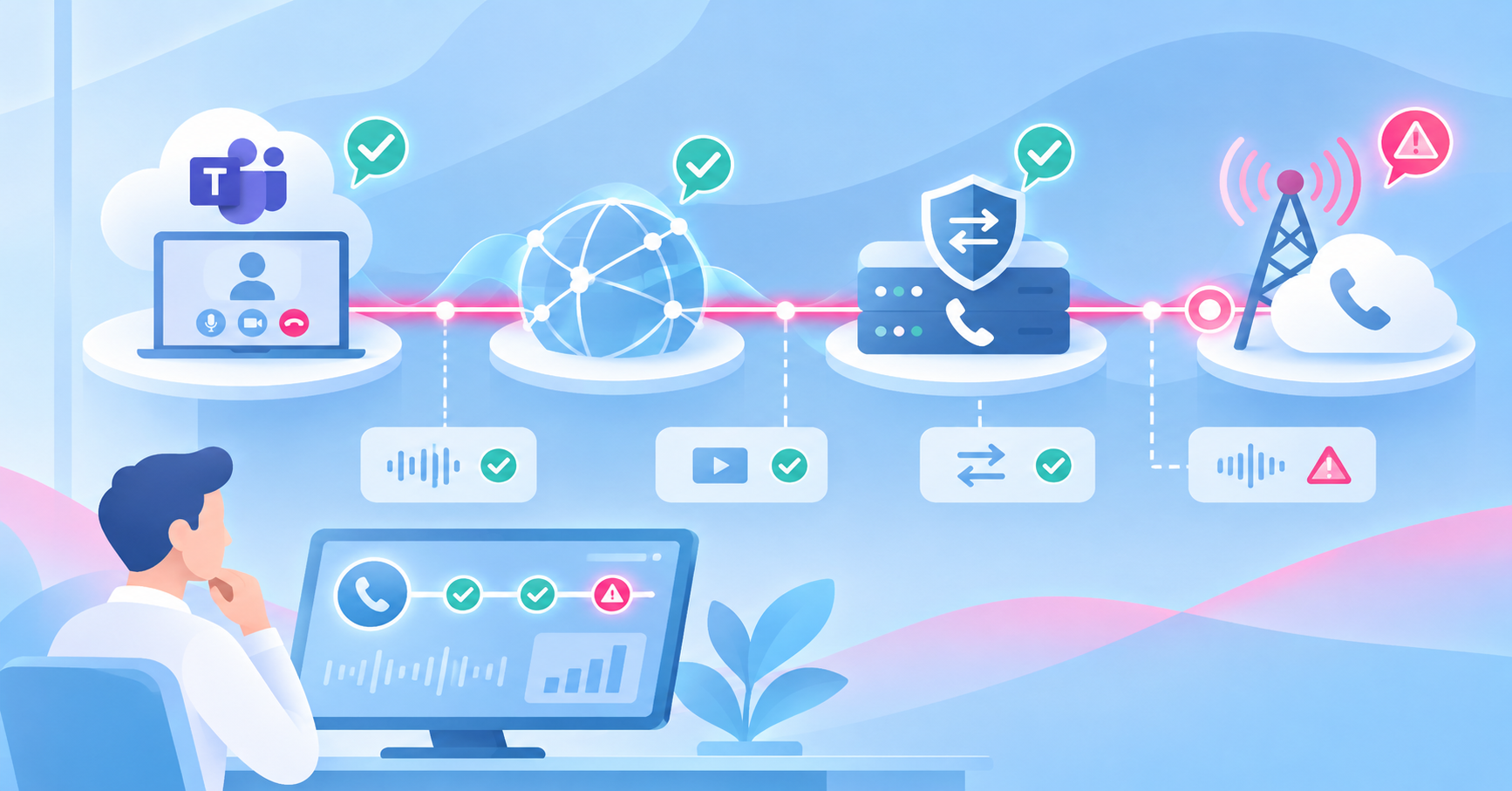
It isn't one connection — it's four.
When people say "Teams is dropping calls," they usually mean something failed somewhere in a four-part chain: the Teams client on the user's device, Microsoft's cloud and the Direct Routing interface, your session border controller, and your carrier's connection into the PSTN. Teams only controls the first two links. The other two — your SBC and your carrier — sit entirely outside Microsoft's infrastructure, and that's exactly where most drop and quality problems originate. (See our practical guide to Teams Direct Routing for full deployment detail.)
This isn't a minor edge case. Direct Routing remains the default way enterprises already embedded in Microsoft's ecosystem bring telephony into Teams, with Direct Routing and Operator Connect availability now spanning more than 60 countries and bring-your-own-carrier options across North America and Europe (Gartner, 2026 Magic Quadrant for UCaaS). At that scale, the SBC and carrier legs aren't a niche configuration — they're the normal path most enterprise calls take.
Where in the call path is the problem?
The symptom usually points to the layer.
Before opening a ticket with Microsoft, your SBC vendor, or your carrier, match what you're seeing against where it tends to originate:
| Symptom | Likely layer at fault |
| Call fails immediately on dial, before ringing | SBC or firewall blocking required signaling |
| Call connects but there's no audio, or audio only one way | Codec mismatch or failed SDP renegotiation |
| Audio is choppy, garbled, or breaks up mid-call | Network congestion — packet loss or jitter on the media path |
| Quality is fine off-peak but degrades during business hours | SBC or gateway capacity — overloaded at peak load |
| Internal Teams-to-Teams calls are fine, but calls to certain numbers or regions fail | Carrier handoff or routing issue on the PSTN leg |
| Calls drop at a consistent point — a few seconds in, or several minutes in | SBC keep-alive, timeout, or session-refresh misconfiguration |
The table above explains what to check first — it doesn't replace the deeper look at each cause below, since more than one layer can be involved at once.
The six most common root causes
1. SBC or firewall blocking required signaling.
Direct Routing depends on specific Microsoft IP ranges reaching your SBC for SIP signaling. If a firewall rule change, a new security policy, or a network migration narrows that traffic, calls fail at setup — often read by admins as "Teams is broken" when the block sits entirely on the customer's own network. The SIP trunk connecting the SBC to your carrier is a common place to start checking.
2. Expired or misconfigured SBC certificates.
Direct Routing requires a trusted public CA certificate on the SBC. Microsoft updated its root certificate authorities for Direct Routing SIP signaling in early 2026, which required SBC recertification across the ecosystem — any SBC that missed that update is a candidate for signaling failures that look identical to a network outage.
3. Codec mismatch and failed SDP renegotiation.
When a call transfers — to voicemail, to another device, or across a hunt group — the SBC and Teams renegotiate the session description (SDP). If the codecs offered don't match, the result is dead air on one or both sides, not a dropped call, which makes it easy to misdiagnose as a network problem.
4. Media bypass misconfiguration.
Media bypass is meant to shorten the path between the SBC and the client, improving quality by cutting out a hop through Microsoft's phone system. Configured incorrectly, it does the opposite — forcing media through a path the network or SBC wasn't sized for.
5. Peak-load packet loss and jitter at the gateway.
SBCs and the network links in front of them can get overloaded during business hours. The result is degraded quality that correlates with time of day rather than with any single configuration error — and it's often invisible until someone is specifically watching utilization on the gateway.
6. Carrier handoff and routing problems.
Once a call leaves the SBC for the PSTN, it's in the carrier's hands. Routing errors, congestion on the carrier's network, or handoff misconfiguration between the SBC and the carrier can degrade or drop calls in ways neither Teams nor the SBC logs will fully explain on their own.
Why this is hard to diagnose today
Microsoft can only see as far as its own cloud.
Microsoft's Call Quality Dashboard gives useful detail once a call reaches Direct Routing's internal components — but it stops there. CQD can't see inside your SBC, and it has no visibility into your carrier's network. When a call fails or degrades upstream of Microsoft's cloud, CQD and the Teams admin center simply don't have the data to show you why.
That leaves most admins reconstructing the picture manually: pulling SBC logs, cross-referencing timestamps against CQD records, and stitching that together with SIP monitoring data before opening a support case with the SBC vendor or carrier — often without being sure yet which one is actually at fault. In a multi-vendor path — Teams, SBC, carrier, and the network between them — no single component owns enough visibility to answer "where did this call actually break?" on its own. The same diagnostic gap applies more broadly across Teams troubleshooting, not just Direct Routing specifically.
How IR Collaborate can help
This is precisely the visibility gap Direct Routing creates: everyone can see their own piece of the path, and no one can see the whole thing.
IR Collaborate extends monitoring to the carrier network in near real time, with full support for multi-tenanted SBCs connected to Microsoft Teams Direct Routing. It monitors the SBC itself, the connection between the SBC and Microsoft's Direct Routing interface, and the carrier-facing side of that same path — the three links CQD can't reach on its own.
Instead of correlating SBC logs against CQD manually after users start complaining, IT and UC teams get a single view across the parts of the call path that currently sit in separate silos. For a deeper look at how session border controllers fit into that picture, see our complete guide to session border controllers, or explore IR Collaborate's full voice, video, and web testing capabilities.
Frequently asked questions
Conclusion
A dropped or degraded Direct Routing call is rarely a Teams problem — it's a visibility problem. The call path runs through components Microsoft's own tools were never built to see past, which means the fastest way to a fix isn't escalating to Microsoft first. It's knowing, before you pick up the phone to anyone, which of the four links actually broke.
Read our guide to session border controllers
OR