















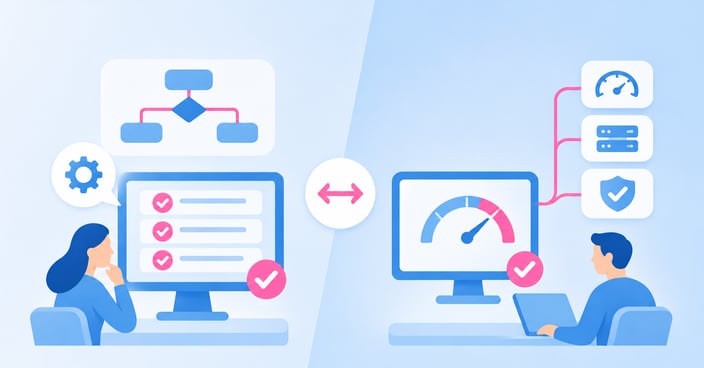

Quick AnswerFunctional testing confirms a system does what it's supposed to — the right menu option routes to the right agent, the payment field accepts a valid card. Non-functional testing confirms it keeps doing that once real traffic hits it — under 10,000 concurrent calls, during a Monday morning spike, three weeks after a config change nobody flagged. A system that passes every functional test can still fail in production if it was never tested against load, volume, or sustained use. For unified communications, contact center, and payments environments, both categories are non-negotiable before go-live — and after it. |
Key takeaways
Functional testing verifies features and logic work as designed; non-functional testing verifies the system performs under real-world conditions
Functional testing types include feature testing, installation testing, regression testing, and user acceptance testing
Non-functional testing types include load testing, stress testing, volume testing, and soak testing
Passing functional tests says nothing about how a system behaves under peak traffic — that's a separate, non-functional question
Evaluating a testing approach means checking both categories against your actual production environment, not a generic checklist
IR Collaborate's testing capabilities cover both categories specifically for UC, contact center, and payments systems — not just web applications

What is functional testing?
Functional testing answers one question: does it work as designed?
Functional testing verifies that a system's features and logic behave exactly as specified. Every menu option routes correctly, every form field validates input, every integration passes data where it should. It's requirement-driven: you write a test case against a spec, run it, and get a pass or fail.
For a contact center IVR, that means confirming every call flow path — from greeting to transfer to voicemail — matches the design document. For a payment system, it means confirming a declined card returns the correct error and a successful transaction posts to the right account. Functional testing doesn't care how many callers are doing this simultaneously; it cares whether the logic is correct for one.
Types of functional testing worth distinguishing:
Feature testing: confirms a specific function (call transfer, self-service balance check, meeting recording) behaves as designed, in isolation
Installation testing: confirms the system deploys correctly into the target environment, with the right configuration and dependencies in place
Regression testing: confirms a change (a new integration, a patch, a third-party update) hasn't broken something that previously worked
User acceptance testing (UAT): confirms the system meets the business's actual requirements, not just the technical spec, usually run by the people who'll use it daily
Functional testing is necessary. It's also not sufficient — and that's where most “tested” systems still fail on day one.
What is non-functional testing?
Non-functional testing answers a different question: does it keep working under real conditions?
Non-functional testing evaluates the qualities that sit outside feature logic — performance, scalability, stability, availability. A system can pass every functional test and still buckle the first time real call volume hits it, because nothing confirmed it could handle that volume in the first place.
This category is where most production incidents actually originate. The IVR flow was correct. The payment logic was correct. What wasn't tested was what happens when 10,000 callers hit it in the same 15 minutes, or when the system has been running under sustained load for six hours straight.
Types of non-functional testing that matter most for mission-critical systems:
Load testing: confirms the system handles its expected traffic. Not a stress scenario — a normal Tuesday, modeled accurately
Stress testing: pushes the system past its expected limits to find the breaking point and, more importantly, what happens at that point: graceful degradation or cascading failure
Volume testing: confirms the system handles large quantities of data (call records, transaction logs, stored messages) without performance decay
Soak testing: runs the system under sustained load over an extended period to catch issues that only surface over time: memory leaks, connection pool exhaustion, degraded response times
For a deeper breakdown of load testing specifically versus stress testing, see IR's guide to load testing vs. stress testing Related resource.
Why the distinction matters when the system can't go down
Most software-testing content treats this as an SDLC checklist item. For production systems, it's the difference between “done” and “ready.”
Most software-testing content treats this as an SDLC checklist item: do both, move on. For a UC platform, contact center, or payments system, the distinction is the difference between a system that's “done” and one that's actually production-ready.
A contact center IVR can pass every functional test — every path, every transfer, every prompt — and still fail the first time a marketing campaign drives a spike in call volume. IR's own guide to IVR testing Related resource breaks down feature testing (functional) against load and stress testing (non-functional) specifically in this context, because the two failure modes look identical to an end user — a broken call — but come from entirely different gaps in the test plan.
| Criteria | Functional testing | Non-functional testing |
| Question it answers | Does it work as designed? | Does it keep working under real conditions? |
| Basis | Written requirements/specs | Performance, scalability, reliability targets |
| Example | Call transfers to the correct queue | System handles 10,000 concurrent calls without degradation |
| When it typically runs | Before go-live, after any change | Before go-live under projected peak load, and periodically in production |
| Failure mode if skipped | A feature doesn't work | A working feature stops working under real load |
The table isn't academic: it's the difference between a go-live checklist that catches “the transfer button is broken” and one that catches “the transfer button works fine until call volume triples.”
How to evaluate a testing approach
Evaluate against both categories — not whichever one is easier to measure.
A testing program — whether in-house or outsourced — should be evaluated against both categories, not whichever one is easier to measure. Criteria worth applying:
-
Does it cover both functional and non-functional testing for your specific environment — not a generic web-application load test repurposed for voice traffic
-
Can it simulate real production conditions — actual call patterns, actual transaction volumes, actual multi-vendor routing — not synthetic traffic that doesn't resemble what customers actually do
-
Does it test before go-live and on an ongoing basis — a one-time pre-launch test tells you nothing about what a configuration change does six months later
-
Does it isolate root cause across the full stack — when a non-functional test fails, you need to know whether it's the application, the network, the carrier, or the infrastructure underneath
-
Does it scale to your actual peak, not your average — a test that only validates normal-day traffic has told you nothing about the day that matters
Most generic performance-testing tools were built for web applications — HTTP requests, page loads, API calls. UC, contact center, and payments environments carry a different kind of traffic entirely: real voice, real call flows, real transaction logic, across multiple vendors, and often with root cause sitting in the network itself rather than the application.
A testing approach built for the wrong kind of traffic will pass a system that still fails in production. For a closer look at evaluating stress testing tools specifically, see IR's application stress testing tool checklist, and IR's piece on why load testing tells you if it works while stress testing tells you how it breaks.
How IR Collaborate can help
IR Collaborate Related resource, powered by Prognosis, includes testing capabilities purpose-built for unified communications, contact center, and payments environments — not repurposed web-testing tools.
StressTest™ runs load and stress testing that simulates real voice, web, and transaction traffic — from a handful of concurrent sessions up to tens of thousands — so you can confirm a system handles expected peak load and understand exactly what happens past it. HeartBeat™ testing runs ongoing, scheduled availability and experience testing in production, catching degradation before customers do rather than after a complaint comes in.
Both sit on the same platform IR uses for monitoring, so when a non-functional test surfaces a problem, you're not handed a pass/fail result with no further context — you get visibility into whether the root cause sits in the application, the network, the carrier, or the infrastructure underneath it. That's the gap most generic testing tools leave open: a failed load test with no path to root cause.
Frequently asked questions
Conclusion
A system that's only been functionally tested is a system that's never actually been tested against the one thing that will break it in production: real traffic, at real volume, over real time. Functional and non-functional testing aren't two boxes to check on the same list — they're two different questions, and skipping either one means you find out the answer from your customers instead of from a test.
See how IR Collaborate's testing capabilities cover both functional and non-functional testing for UC, contact center, and payments environments.