


















Dynatrace monitors infrastructure, applications, and cloud environments, using its Davis AI engine to automate root-cause analysis across logs, metrics, and traces.
It wasn't built to monitor a Microsoft Teams call, a contact center queue, or the session border controllers carrying voice traffic across a hybrid network. That gap shows up the moment a meeting drops or a customer call degrades, and the observability platform that caught yesterday's infrastructure incident has nothing to say about it.
This isn't a case of one platform replacing the other. Most enterprises running Dynatrace for infrastructure and application observability still need a separate, purpose-built layer for unified communications and customer experience. Here's where that line actually sits, and what to look at before deciding what goes on each side of it.

What Dynatrace actually covers
Full-stack visibility, built for infrastructure and apps.
Dynatrace is a widely used platform for infrastructure, application performance, and cloud observability. Davis AI automates root-cause analysis across logs, metrics, and traces, and its topology mapping gives teams a real-time picture of how services, hosts, and dependencies connect. For infrastructure and application teams, that's genuinely useful: when a service slows down or a host fails, Dynatrace can usually show where and why.
What it doesn't do natively is monitor the specifics of voice and real-time collaboration traffic. It has no built-in visibility into SIP trunking, session border controllers, codec quality, or jitter and packet loss on a voice path. Coverage for platforms like Microsoft Teams exists mostly through third-party integrations rather than native telemetry, and even where it exists, it typically stops at basic call diagnostics rather than the protocol-level detail a UC or contact center team needs to find root cause.
Where the gap shows up: UC, CX, and voice
The moment the infrastructure dashboards go quiet.
The gap becomes visible at a predictable moment: a user reports a dropped Teams call, an agent's audio cuts out mid-interaction, or a contact center queue backs up during a peak period. Infrastructure and application metrics can look clean while the actual experience — the call, the meeting, the customer interaction — is degraded
Voice and real-time communications depend on a different set of signals entirely: jitter, latency, packet loss, codec negotiation, SBC capacity, and the specific call flow across every vendor in the path.
For enterprises running Microsoft Teams, Cisco, Avaya, or Oracle alongside a contact center platform like NICE CXone, this isn't an edge case — it's the normal operating environment. Multiple vendors, each with its own management console, none of them correlated into a single view of what actually happened on a specific call or customer journey. Without that correlation, teams fall back to manual troubleshooting across fragmented tools, which gets slower and harder to scale as the environment grows. (See our guide to debugging WebRTC issues for how deep that diagnostic rabbit hole typically runs on just one connection type.)
Dynatrace vs IR Collaborate: a criteria-based comparison
Different layers, different jobs.
Use the criteria below to evaluate where each platform fits in your environment, rather than treating this as a head-to-head score.
| Criteria | Dynatrace | IR Collaborate |
| Core design purpose | Infrastructure, application, and cloud observability | Unified communications and contact center observability |
| Native voice/call quality telemetry | Limited; largely dependent on third-party integrations | Native — jitter, latency, packet loss, codec, and SBC data |
| Multi-vendor UC support | Not a primary focus | Microsoft Teams, Cisco, Avaya, Oracle, and more, in one view |
| Contact center monitoring | Not a native capability | Native, including NICE CXone |
| Cross-platform CDR search | Not applicable | Iris lets teams search one CDR database across CXone, UC platforms, and SBCs |
| AI-assisted analysis | Davis AI for infrastructure root-cause analysis | Iris AI assistant for UC/CX insight, in plain language |
| Deployment flexibility | Cloud and hybrid | Cloud, on-premises, and hybrid |
| Typical buyer | Infrastructure/Ops, SRE | UC Ops, Contact Center Ops, IT Ops |
How IR Collaborate closes the gap
Built for the layer general-purpose observability doesn't reach.
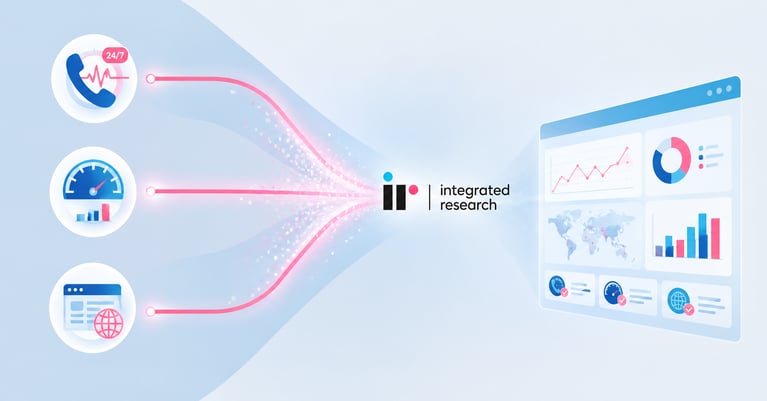
IR Collaborate gives IT and contact center teams a correlated view of communications performance across Microsoft Teams, Cisco, Avaya, Oracle, and other UC platforms, without locking an organization into one vendor. It connects SBC data, call flows, and contact center telemetry, including NICE CXone, into one intelligence layer, so a dropped call or a degraded queue can be traced back to its cause rather than investigated one console at a time.
Iris, the AI assistant built into the underlying Prognosis platform, lets teams ask plain-language questions and search a single CDR database spanning CXone, UC platforms, and SBCs instead of querying each system separately. That matters most in exactly the moment Dynatrace can't help: when the question isn't "is the infrastructure up," but "why did this specific call or customer interaction degrade, and where in a multi-vendor path did it happen."
IR Collaborate supports cloud, on-premises, and hybrid deployments, so this coverage doesn't depend on how or where the communications infrastructure is architected.
Choosing between them
Most enterprises need both — just not for the same job.
For most enterprises already running Dynatrace, the practical decision isn't whether to replace it. It's whether voice, UC, and contact center performance have their own observability layer, or whether that layer is missing entirely. Dynatrace stays the right tool for infrastructure, application, and cloud observability. IR Collaborate covers the layer Dynatrace wasn't built for: the multi-vendor, voice-specific detail that determines whether a meeting holds up or a customer call goes well.
Teams evaluating this gap should start with their own blind spots: how many UC and contact center platforms are in use, how those platforms are monitored today (if at all), and how long it currently takes to find root cause when a call quality issue gets reported. Those answers point to how much of the UC/CX layer is actually covered today, versus assumed to be covered because an infrastructure tool is already in place.
Frequently Asked Questions
Conclusion
The real question enterprise teams need to answer isn't "Dynatrace or IR Collaborate." It's whether the layer where the business actually happens — a voice call, a video meeting, a customer interaction — has its own observability, or is relying on coverage borrowed from a platform that was never built to see it.
See where IR Collaborate fits alongside
your existing observability stack.