


.png?width=141&height=141&name=Transact%20(1).png)






.svg)

.svg)
.svg)
.svg)


%201.svg)
















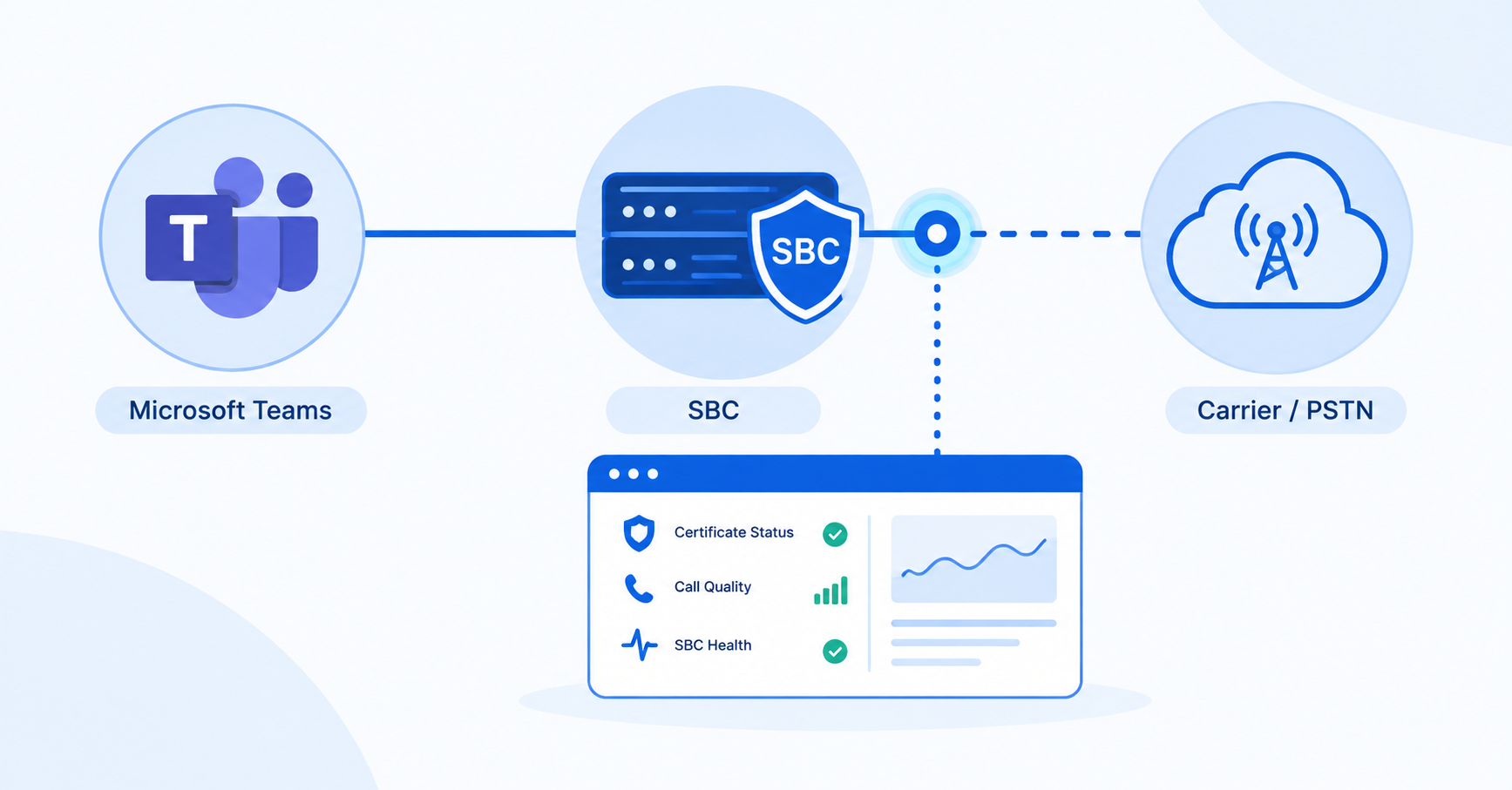
Direct Routing has quietly kept enterprise call routing under IT’s control for years — pick your own carrier, run your own SBC, keep your existing contracts. In 2026, Microsoft is changing the certificate infrastructure that Direct Routing depends on, and an SBC that isn’t tracking that change can stop passing calls without anything on your side looking broken.
For UC teams already running Teams Direct Routing — or deciding whether to — the real question isn’t whether it still works. It’s whether you’re running it as a monitored, evaluated architecture, or as something you deployed once and haven’t looked at since. That question matters most for enterprises in the US and across APAC running contact centers or multi-vendor UC, where a routing failure doesn’t just interrupt an internal chat call — it interrupts customers.
Direct Routing puts your carrier and your Session Border Controller (SBC) under your own control. Operator Connect hands that same SBC to a Microsoft-approved carrier to run on your behalf. Both connect Teams to the public telephone network — the difference is who owns the infrastructure in between, and how much control that gives you over routing, contact center integration, and multi-vendor PBX support.
What Microsoft Teams Direct Routing actually does
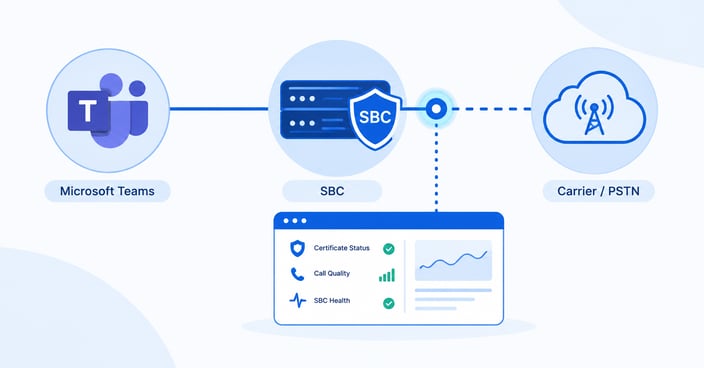
Direct Routing connects Microsoft Teams to the Public Switched Telephone Network (PSTN) through a Session Border Controller that you or your provider control, rather than a calling plan Microsoft manages end to end. Some teams still refer to this as Office 365 Direct Routing or phone system Direct Routing — same architecture, older branding, from back when Microsoft 365 was still Office 365.
Every user making or receiving external calls needs a Teams Phone Standard license alongside Direct Routing — that part hasn’t changed. What has changed is everything downstream of the license: the SBC, the certificate chain it trusts, and the certification status Microsoft assigns it.
We’ve covered the core mechanics and benefits before in Using Microsoft Teams Direct Routing — broader geographic coverage, carrier flexibility, and the ability to keep existing PBX or SIP trunk investments while moving voice onto Teams. What’s changed since then isn’t the architecture. It’s what it takes to run it safely in 2026.
Direct Routing vs. Operator Connect vs. Calling Plans: how to actually choose
Microsoft gives enterprises three ways to bring PSTN calling into Teams, and the right one depends on how much control your environment needs, not which option is newest.
| Consideration | Direct Routing | Operator Connect | Calling Plan |
|---|---|---|---|
| Who runs the SBC | You, or your managed provider | A Microsoft-approved carrier | Microsoft |
| Carrier choice | Any SIP-capable carrier | Approved Operator Connect carriers only | Microsoft only |
| Contact center / AI voice integration | Full support | Limited to the carrier’s own offering | Not designed for this |
| Multi-vendor PBX or analog integration | Yes | No | No |
| Setup and ongoing management | Highest — SBC, certificates, routing policy | Low — provisioned in Teams Admin Center | Lowest |
| Best fit | Enterprises with existing carrier contracts, contact centers, or multi-vendor UC | Standardized deployments with lean IT teams | Small, single-region deployments |
For enterprises running contact centers, multi-vendor UC, or carrier contracts they don’t want to unwind, Direct Routing is still the only option that gives you that level of control. That control is exactly what makes it your responsibility to monitor — nobody else is watching your SBC for you.
The 2026 certificate change every Direct Routing SBC needs to track
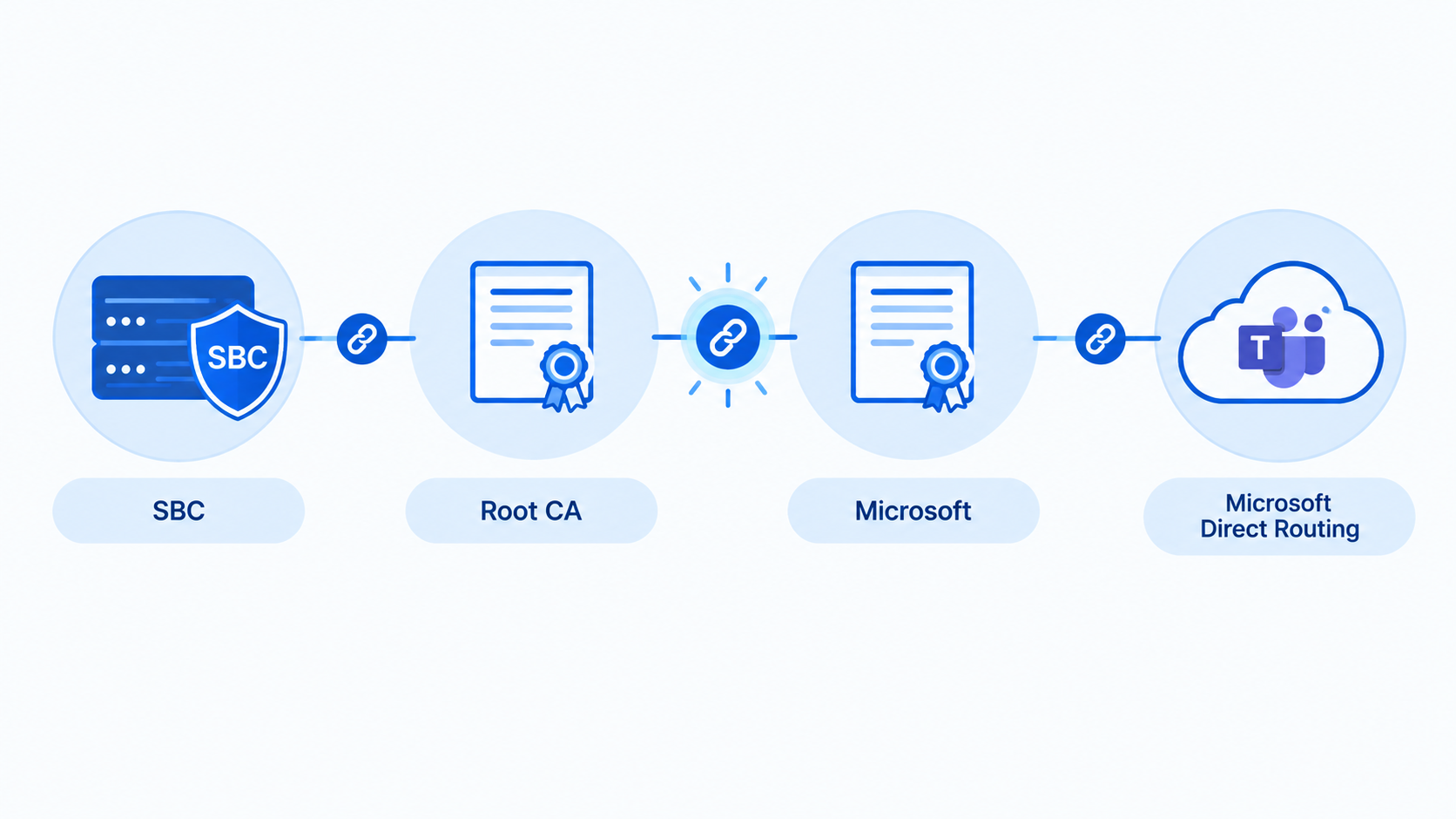
Microsoft is rotating the certificate authority (CA) chain that Direct Routing and Operator Connect rely on for the mutual TLS handshake between your SBC and Microsoft’s servers. Once Microsoft’s side of that change is fully enforced, an SBC that doesn’t trust the current root CAs will fail that handshake — calls stop connecting, and nothing in your own network configuration has to have changed for it to happen.
The change didn’t originate with Microsoft. Browser root programs moved to deprecate the certificate extension SBCs have relied on for client authentication, and Microsoft’s certificate infrastructure is changing in response. This isn’t a one-time Teams update — it’s a shift in what root certificate authorities will accept, and it will keep resurfacing as browser and CA policy evolves.
Three things worth checking now:
- Confirm your SBC trusts all of Microsoft’s current root CAs for Direct Routing. Not just the ones it shipped with.
- Check your SBC vendor’s certification status with Microsoft directly. Microsoft has paused new certification nominations, so an uncertified or lapsed SBC has no easy fallback.
- Track the deadline against your own change windows, not just Microsoft’s. Testing and rollback need lead time your team controls.
None of this shows up as an alert from Teams. It shows up as a support ticket from a user who couldn’t make a call — unless something is watching the SBC and the carrier path, not just the Teams client.
How IR Collaborate can help
IR Collaborate gives UC teams near real-time visibility into the carrier network path for Direct Routing, including multi-tenanted SBC configurations, so a certificate, registration, or routing failure shows up as a monitored event instead of a user complaint. For teams running Direct Routing alongside Cisco, Avaya, or Zoom, that visibility extends across the full multi-vendor environment, not just the Teams side of the call.
- End-to-end call path visibility: Traces a call from the Teams client through the SBC to the carrier, so a failure can be attributed to the right layer instead of guessed at.
- Multi-vendor coverage: Correlates Direct Routing performance alongside other UC platforms in the same environment.
- Proactive alerting: Surfaces degradation in registration, call setup, or media quality before it reaches the volume of a wider outage.
For a deeper look at how SBCs are secured, sized, and monitored beyond Direct Routing specifically, see our complete guide to session border controllers.
Frequently asked questions
What is Microsoft Teams Direct Routing?
Direct Routing is the Teams Phone feature that connects Microsoft Teams to the public telephone network through a Session Border Controller you or your provider control, instead of a Microsoft-managed calling plan.
Is Direct Routing being replaced by Operator Connect?
No. Microsoft offers both, and many enterprises run a hybrid of the two. Operator Connect suits standardized, lower-complexity deployments; Direct Routing remains the option for contact center integration, multi-vendor PBX support, and full routing control.
Do I need a Session Border Controller for Direct Routing?
Yes. A Microsoft-certified SBC sits between Teams and your SIP trunk or carrier, and is required for Direct Routing to function.
How much does Microsoft Teams Direct Routing cost?
Costs vary by SIP trunk provider, call volume, and SBC deployment model. Microsoft doesn’t charge a separate Direct Routing fee beyond the Teams Phone license already required for PSTN calling.
How do I monitor Microsoft Teams Direct Routing call quality?
Track SIP registration success rates, call setup and completion rates, and media quality indicators such as MOS, jitter, latency, and packet loss across the SBC and carrier path, not just the Teams client.
How do I troubleshoot Direct Routing call failures in Teams?
Start with SIP response codes on the SBC, confirm certificate and certification status, and check registration between the SBC and Microsoft’s servers before assuming the fault is on the carrier side. For broader troubleshooting, see the Microsoft Teams troubleshooting guide.
What happens if my SBC isn’t certified for Direct Routing?
Calls can fail unpredictably, and because Microsoft has paused new SBC certification nominations, an uncertified SBC currently has no straightforward path to certification.
Can I run Direct Routing and Operator Connect at the same time?
Yes. Many enterprises run both in a hybrid model, using Operator Connect for standardized regions and Direct Routing where they need carrier flexibility or contact center integration.
Conclusion
Direct Routing hasn’t stopped being the right architecture for enterprises that need carrier flexibility and multi-vendor control. What’s changed is what “running” it means in 2026 — tracking a certificate deadline, confirming SBC certification, and treating the whole path as something to monitor, not just deploy. The organizations that get caught out won’t be the ones on the wrong architecture. They’ll be the ones who stopped watching it.
See how IR Collaborate gives your team visibility across Teams Direct Routing, your SBC, and the carrier path. Request a demo.